Run a group of instances
Keep a number of identical web instances running behind a load balancer: failed ones are replaced, and the count goes up on weekday mornings and down at night.
You will use: a launch template, an instance group, a load balancer pool and a size schedule, in Karachi.
Before you start
- A load balancer with a pool, here
web-pool, and a health check. - An instance setup that works on its own from user data, with no data on its system disk: instances are created and deleted as the count changes.
1. Save a launch template
On a working instance's create page, choose Save as launch template, or create one under
Compute → Launch templates: name web, size, image, network, the web security group, your
SSH key and the user data that installs your application. Under Load balancer, leave the pool
empty: the group will add its instances.
Launch one instance from it and check the application answers before you go on.
2. Create the group
- Under Compute → Instance groups, choose Create instance group.
- Name
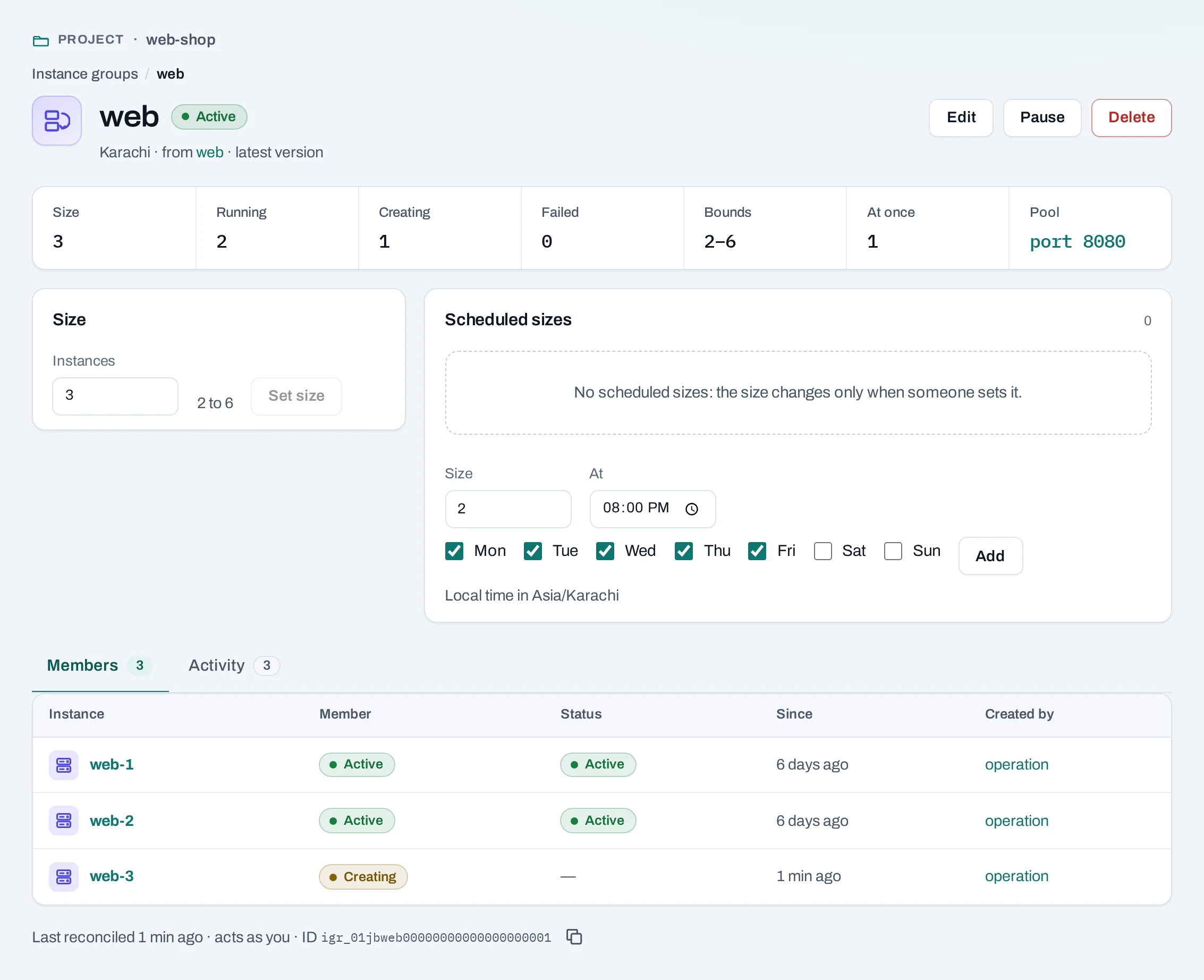
web, templateweb, latest version. - Desired 3, Minimum 2, Maximum 6, Surge 1.
- Pool
web-pool, port8080. - Create it. The group creates
web-1toweb-3, one at a time, and adds each to the pool once it runs.
curl -sS -X POST "$NUBESTACK_API/v1/orgs/$ORG/projects/$PROJECT/instance-groups" \
  -H "Authorization: Bearer $NUBESTACK_API_KEY" -H "Idempotency-Key: $(uuidgen)" \
  -H "Content-Type: application/json" \
  -d '{"name": "web", "template_id": "ltp_01jbweb", "desired": 3, "min": 2, "max": 6, "max_surge": 1, "pool_id": "lbp_01jbwebpool", "member_port": 8080}'
3. Change the count on a schedule
Add two size schedules: 4 instances on weekdays at 08:00, and 2 every day at 22:00.
On the group's page, under Scheduled sizes, add each time and count, with the time zone
Asia/Karachi.
curl -sS -X POST "$NUBESTACK_API/v1/orgs/$ORG/projects/$PROJECT/schedules" \
  -H "Authorization: Bearer $NUBESTACK_API_KEY" -H "Idempotency-Key: $(uuidgen)" \
  -H "Content-Type: application/json" \
  -d '{"kind": "resize", "name": "web-morning", "target_type": "instance_group", "target_ids": ["igr_01jbweb"],
       "time_zone": "Asia/Karachi", "recurrence": {"frequency": "weekly", "days": ["mon","tue","wed","thu","fri"], "time": "08:00"},
       "desired": 4}'
4. Watch it work
- Delete one of the group's instances: the group creates a replacement.
- Check the load balancer's Listeners tab: each instance joins
web-pooland passes its health check. - Pause the group before you investigate an instance by hand, so it is not replaced under you.
5. Roll out a new version
Save a new version of the template, then Edit the group to use it. New and replacement instances use it; existing ones are not rebuilt. To move them over, delete them one at a time, waiting each time for the group's replacement to pass its health check.
Clean up
Delete the size schedules, then the group, choosing to delete its instances with it. The load balancer and template stay.