Serve an application over HTTPS
Give two application instances one HTTPS address for two domains, www.acme.example and
shop.acme.example. The load balancer ends TLS with your certificates, picks the right one for
each domain, and sends plain HTTP to the instances.
You will use: instances, a security group, certificates, a load balancer and a public IP, in a project in Karachi.
Before you start
- Two instances,
web-1andweb-2, on the same network, each serving your application over HTTP on port 8080. Publish a web application shows how to start one with cloud-init. - A security group on both instances that allows TCP 8080 from the network's range, for example
10.0.0.0/24, so the load balancer can reach them. - A certificate and its private key for each domain, in PEM, from your certificate authority.
- A project whose location offers HTTPS termination: the load balancer's Type list says HTTPS with your certificate for a type that can end TLS. If none does, use a TCP listener on 443 and end TLS on the instances.
1. Upload both certificates
- Under Security, choose Certificates, then Upload certificate.
- Paste the Certificate, the Chain if your authority gave you
one, and the Private key. Name:
www-2026. - Choose Upload certificate. Repeat for the second domain, named
shop-2026.
Keep each upload in a local file, never in your shell history:
jq -n --rawfile crt www.crt --rawfile key www.key --rawfile chain chain.pem \
  '{location: "loc_01jbkhi", display_name: "www-2026", certificate: $crt, chain: $chain, private_key: $key}' \
  > www-2026.json

curl -sS -X POST "$NUBESTACK_API/v1/orgs/$ORG/projects/$PROJECT/certificates" \
  -H "Authorization: Bearer $NUBESTACK_API_KEY" \
  -H "Idempotency-Key: $(uuidgen)" \
  -H "Content-Type: application/json" \
  --data-binary @www-2026.json
Repeat for shop-2026. Each answers 202 Accepted with the certificate's id (crt_…).
Certificates lists what an upload must contain.
2. Create the load balancer
- Under Networking, choose Load balancers, then Create load balancer.
- Name
web-lb, and a Type that offers HTTPS with your certificate. - Subnet: the instances' network.
- Listeners: protocol HTTPS, TLS ends here, port
443, Certificatewww-2026. Under Also serve these certificates (by host name), chooseshop-2026. - Add a pool of instances:
web-1andweb-2, each on port8080, Balancing round robin. Add a Health check of type HTTP. - Choose Create load balancer and follow the operation.
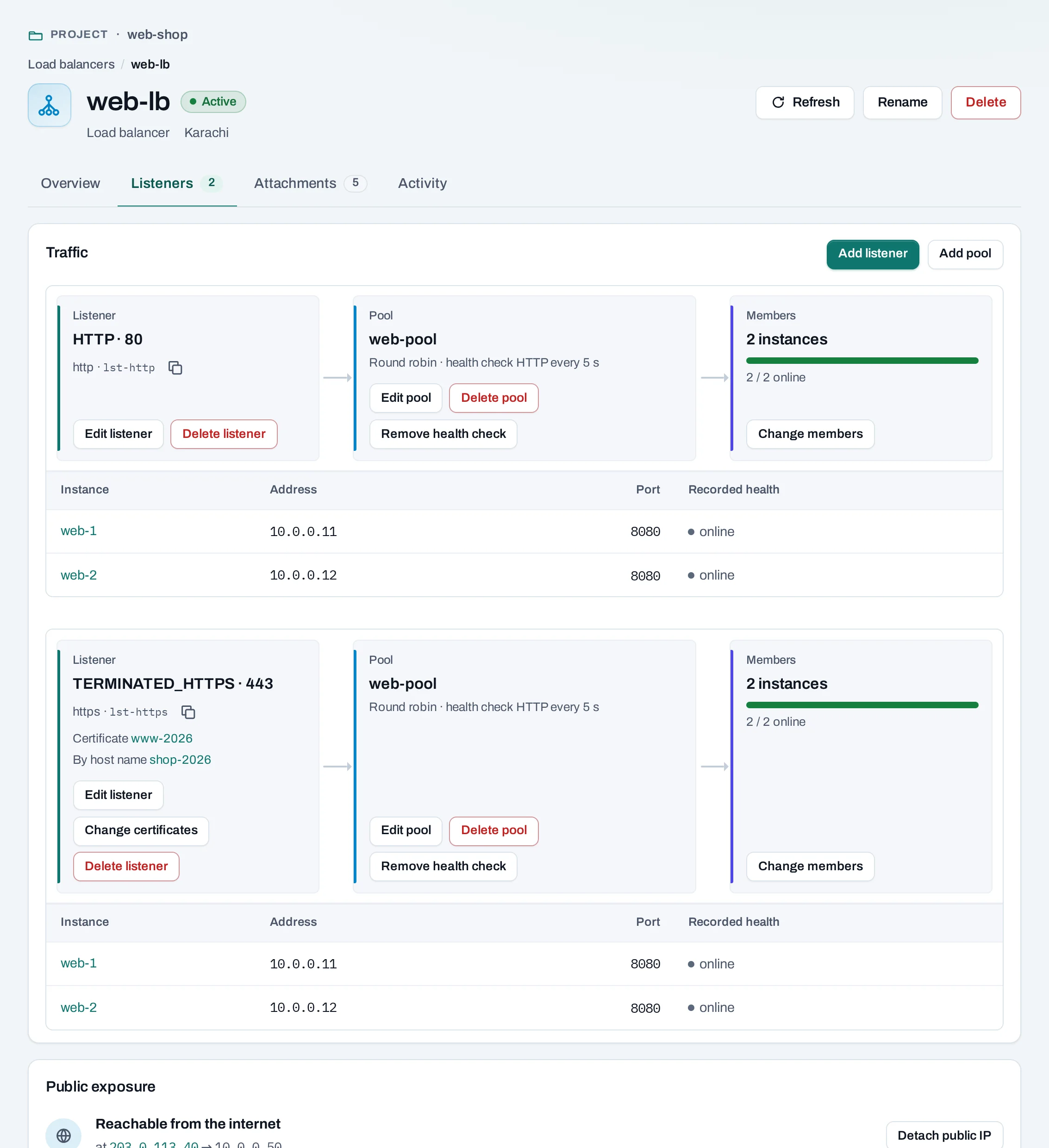
curl -sS -X POST "$NUBESTACK_API/v1/orgs/$ORG/projects/$PROJECT/load-balancers" \
  -H "Authorization: Bearer $NUBESTACK_API_KEY" \
  -H "Idempotency-Key: $(uuidgen)" \
  -H "Content-Type: application/json" \
  -d '{
    "location": "loc_01jbkhi",
    "display_name": "web-lb",
    "offering": "application",
    "subnet_id": "sbn_01jbdefault",
    "listeners": [{
      "protocol": "TERMINATED_HTTPS",
      "port": 443,
      "certificate_id": "crt_01jbwww",
      "sni_certificate_ids": ["crt_01jbshop"],
      "pool": {
        "algorithm": "ROUND_ROBIN",
        "members": [
          {"server_id": "srv_01jbweb1", "port": 8080},
          {"server_id": "srv_01jbweb2", "port": 8080}
        ],
        "health_monitor": {"type": "HTTP"}
      }
    }]
  }'
offering is the type's slug from the location's catalog. The answer is 202 Accepted.
3. Give it a public IP
- Under Networking, choose Public IPs, then Allocate a public IP.
- Open the load balancer. Under Public exposure, choose Attach a public IP and pick the address.
4. Point your domains at it and test
Add A records for www.acme.example and shop.acme.example with the public IP at your DNS
provider. Before DNS has spread, test each name directly:
curl -I --resolve www.acme.example:443:203.0.113.40 https://www.acme.example/
curl -I --resolve shop.acme.example:443:203.0.113.40 https://shop.acme.example/
openssl s_client -connect 203.0.113.40:443 -servername shop.acme.example </dev/null | openssl x509 -noout -subject
The last command prints the certificate served for shop.acme.example: CN=shop.acme.example.
Keep it running
- Renewals. Upload the new certificate, then on the Listeners tab choose Change certificates and pick it in place of the old one. Delete the old one after. See Rotate a certificate.
- More domains. Add up to ten certificates by host name to the same listener. See Several certificates on one listener.
- Health. The Listeners tab shows each instance's recorded health. An instance that fails its checks stops getting traffic.
Clean up
Delete the load balancer: its listeners, pools and health checks go with it, and its public IP is detached and stays allocated until you release it. Then delete the certificates and, if you made them for this, the instances.