Certificates
A certificate lets a load balancer serve HTTPS itself: it ends TLS with your certificate and sends plain HTTP to the instances behind it. You upload the certificate, its chain and its private key once; HTTPS listeners then choose it by name.
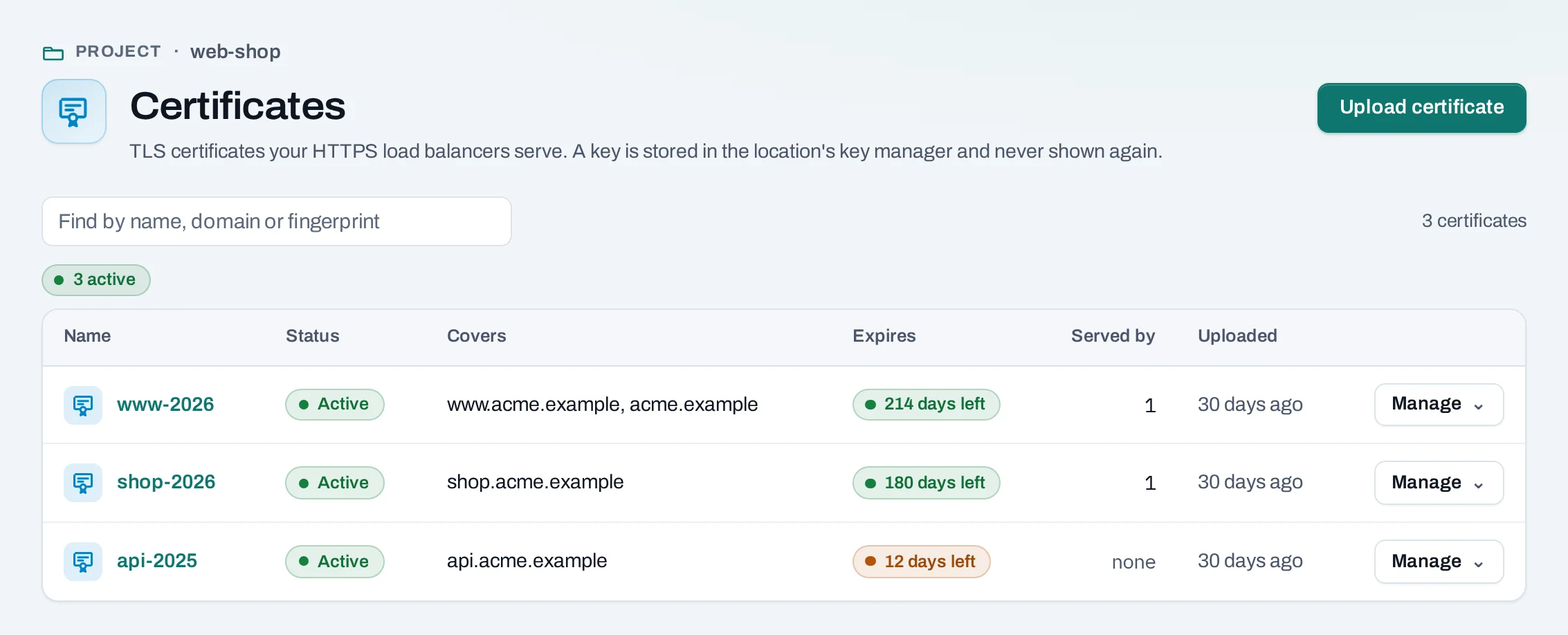
Find them in a project under Security → Certificates.
Before you start
- A certificate for your domain from a certificate authority, its intermediate chain, and its private key, all in PEM. NubeStack Cloud does not issue certificates.
- A location whose load balancer types offer HTTPS with your certificate. See Load balancers.
- A role of project admin or project member.
Upload a certificate
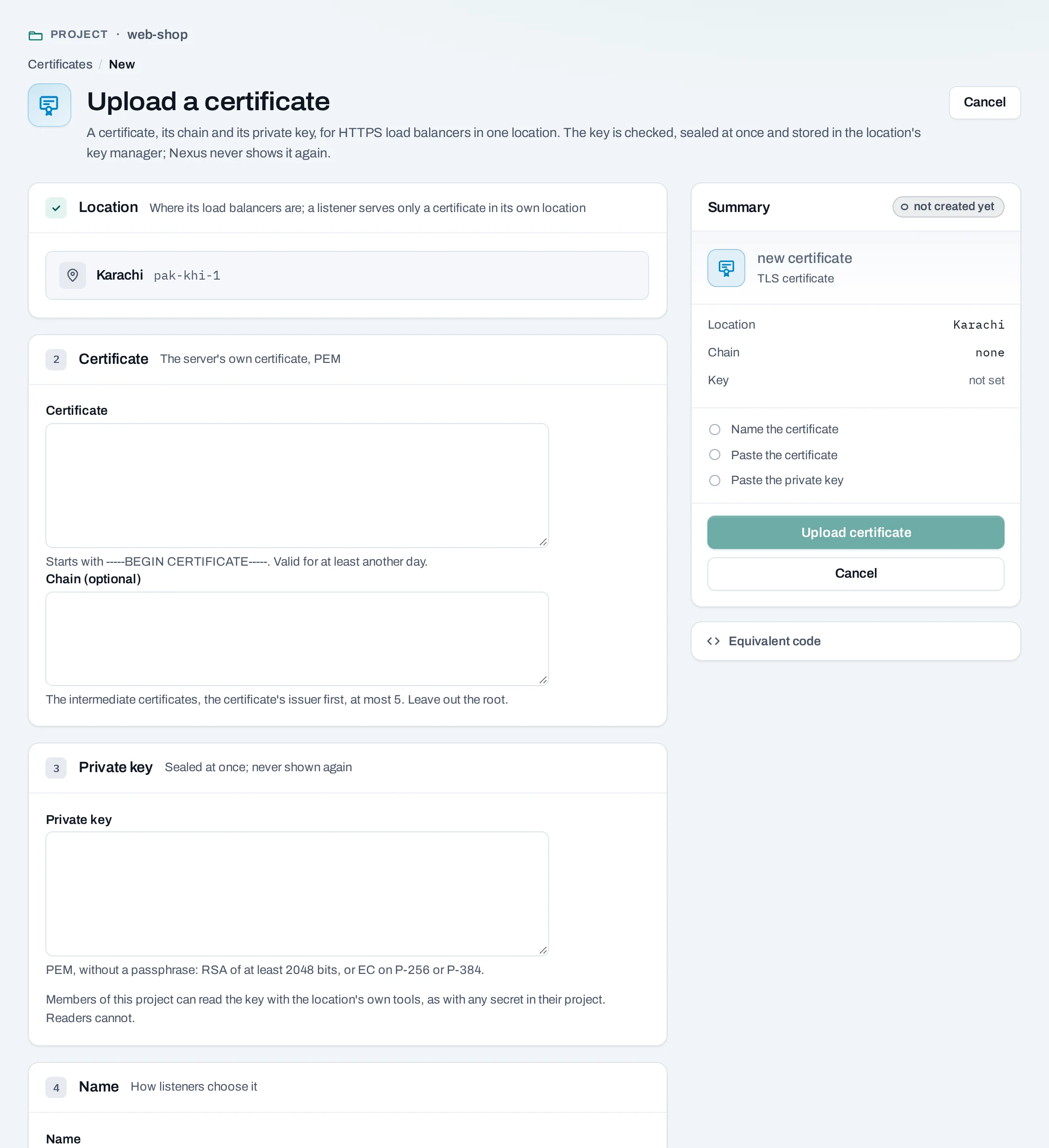
- Choose Upload certificate.
- Location shows the project's location. A listener can only use a certificate of its own project: for a project in the other location, upload it there too.
- Certificate: the server's own certificate (
-----BEGIN CERTIFICATE-----). It must be valid now and for at least another day. - Chain (optional): the intermediate certificates, the one that issued yours first, at most five. Leave the root out.
- Private key: without a passphrase; RSA of at least 2048 bits, or EC on P-256 or P-384.
To remove a passphrase:
openssl pkey -in key.pem -out plain-key.pem. - Name: how listeners choose it, for example
www-2026. - Choose Upload certificate.
Build the body from files so the key never appears in your shell history:
jq -n --rawfile crt www.crt --rawfile chain chain.pem --rawfile key www.key \
  '{location: "loc_01jbkhi", display_name: "www-2026", certificate: $crt, chain: $chain, private_key: $key}' \
  > www-2026.json

curl -sS -X POST "$NUBESTACK_API/v1/orgs/$ORG/projects/$PROJECT/certificates" \
  -H "Authorization: Bearer $NUBESTACK_API_KEY" \
  -H "Idempotency-Key: $(uuidgen)" \
  -H "Content-Type: application/json" \
  --data-binary @www-2026.json

rm www-2026.json
The answer is 202 Accepted with the certificate's id (crt_…).
The upload is checked at once: that the key belongs to the certificate, that the certificate is valid, and that the chain is in order. A problem is shown under the field it is in, and nothing is stored.
What happens to the key
The key is encrypted the moment it arrives, stored once in the location's key manager in your project, and the encrypted copy is then deleted. It is never shown again. Project members can read it with the location's own tools, as with any secret in their project; project readers cannot.
Serve it from a listener
When you create a load balancer, or add a listener, choose the protocol HTTPS, TLS ends here, the port (usually 443) and the certificate. To serve more than one domain on the same listener, add more certificates by host name: see Several certificates on one listener.
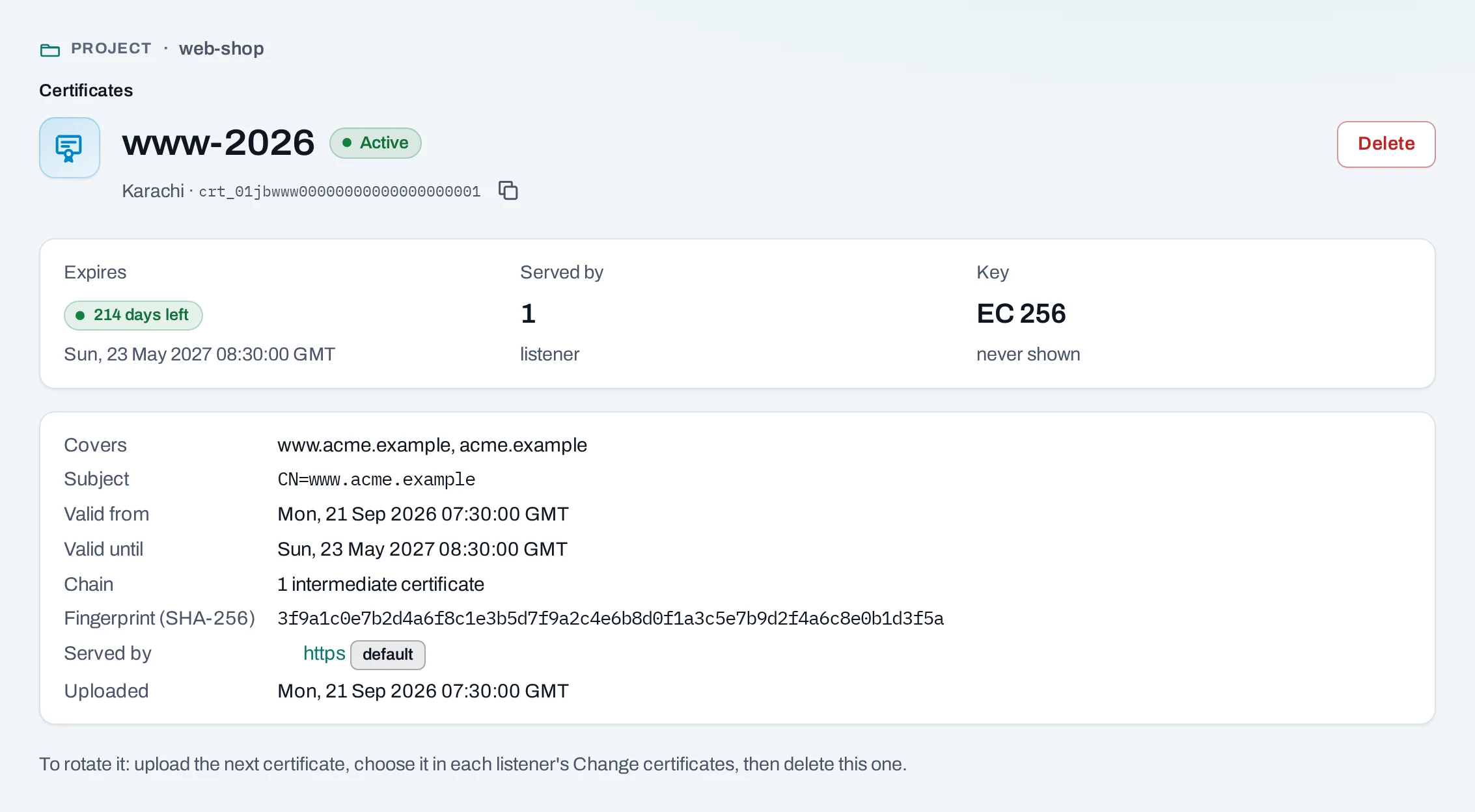
A certificate's page lists the listeners that serve it, each marked default or by host name.
Rotate a certificate
- Upload the new certificate.
- Open the load balancer's Listeners tab and choose Change certificates on each listener that serves the old one. Pick the new one in its place, then Save certificates. New connections get the new certificate; the address stays.
- Delete the old certificate.
Renewal is not automatic. The list shows days left for each, in amber when fewer than 30.
Delete a certificate
The key is deleted from the key manager.
What blocks a delete
| Refusal | Why | Resolve |
|---|---|---|
certificate_in_use |
A listener serves it, as its default or by host name; the message names the listeners | Change certificates on those listeners first |
Deleting a project deletes every certificate and every other secret of the project in the location's key manager, after its load balancers.
Limits and good practice
- Up to 50 certificates per project (
certificate_limit). - Each PEM field up to 32,768 characters; the whole upload up to 64 KiB.
- A certificate expiring within 24 hours cannot be put on a listener (
certificate_expired). - Keep your own copy of each key; the console cannot give it back.
- Never paste a private key into a support request or a screenshot.