SSH keys
Add the public key of the computer you connect from, then choose it when you create an instance. It is copied into the instance, and you log in with SSH without a password. The private key never leaves your computer; NubeStack Cloud never makes one for you.
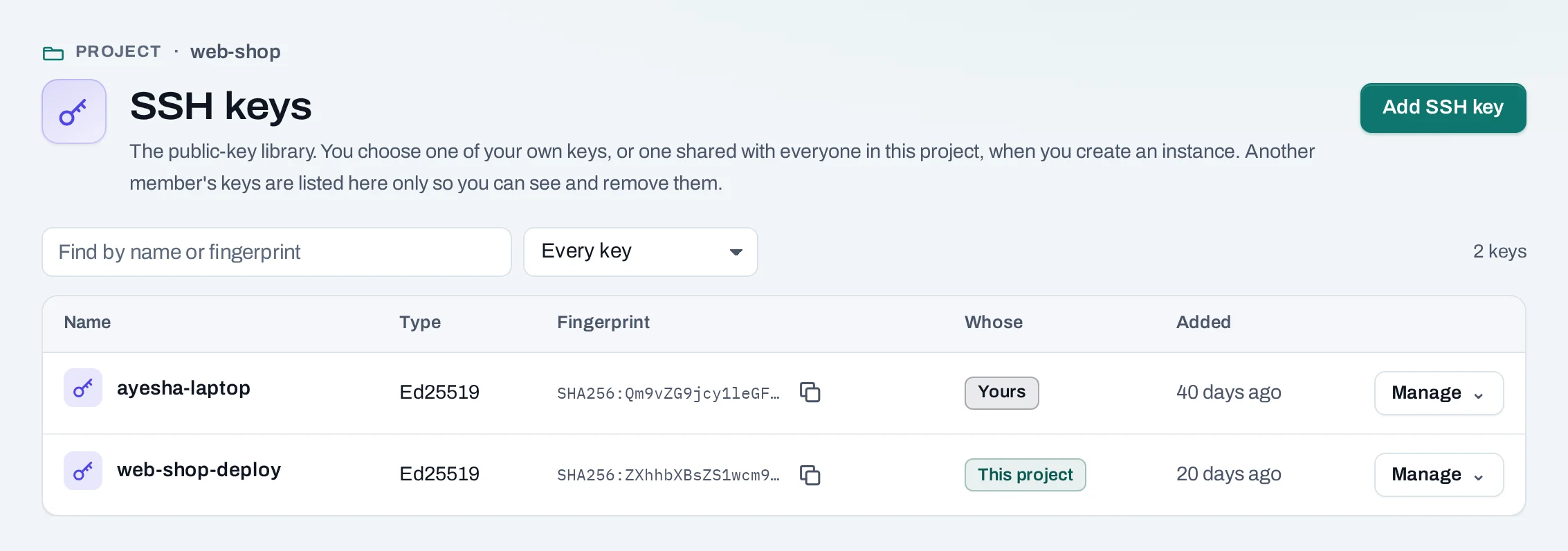
Find them in a project under Compute → SSH keys. Keys are kept once for the organization, so a personal key you add is offered in every project you work in. In the organization scope, owners and admins see every person's and every project's keys there; keys are added from a project.
Before you start
You need a key pair on your computer. No key yet? Make one:
Ed25519, ECDSA and RSA keys of 2048 bits or more work, including security-key (sk-) keys.
Add a key
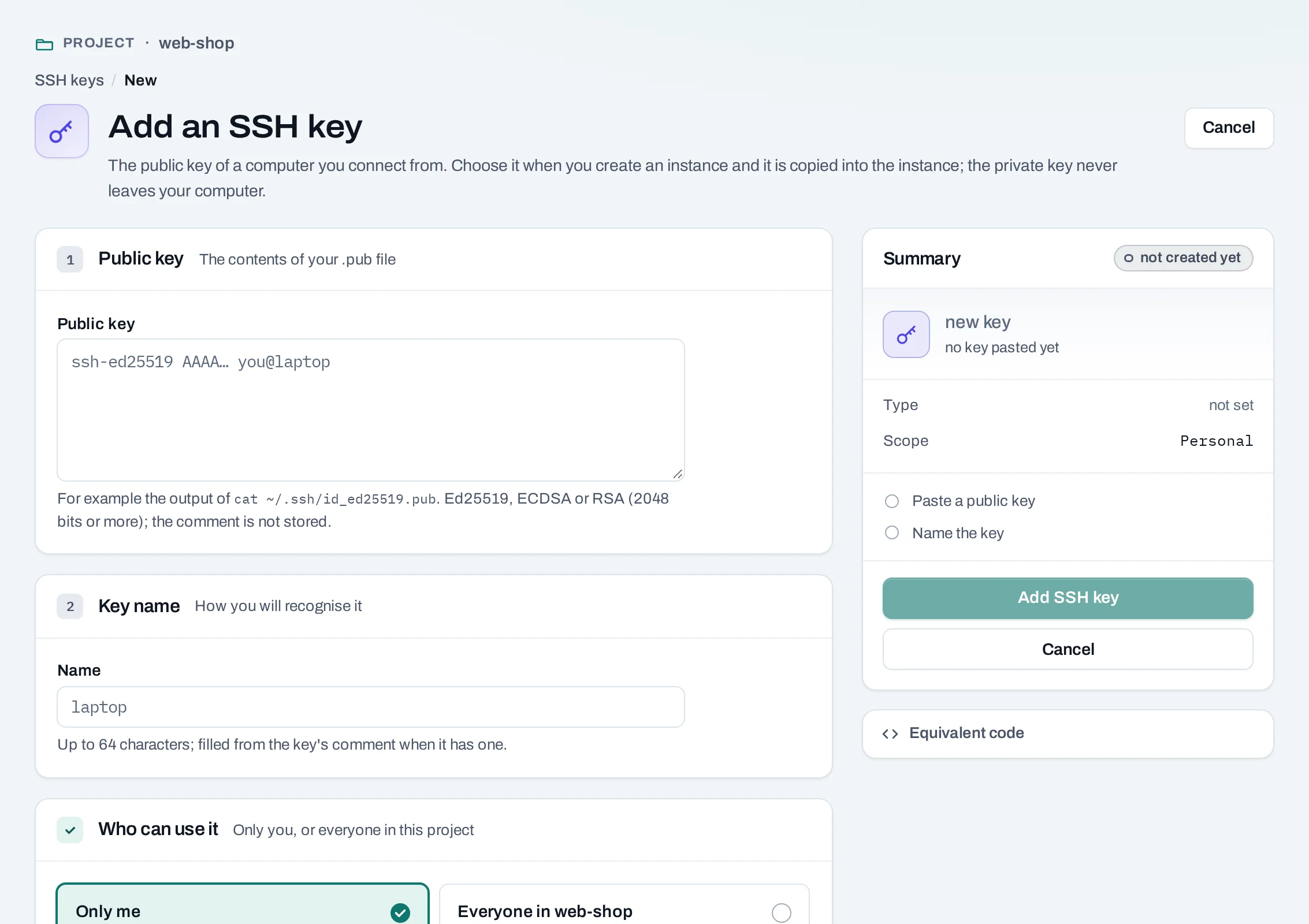
- Choose Add SSH key.
- Public key: paste the whole line, starting
ssh-ed25519,ecdsa-sha2-…orssh-rsa. A private key is refused; if you pasted one, make a new key pair. - Name: up to 64 characters, filled from the key's comment when it has one.
- Who can use it:
- Only me: a personal key, offered to you in every project of the organization.
- Everyone in the project: offered to every member of this project. Only a project admin can share a key with the project.
- Choose Add SSH key.
curl -sS -X POST "$NUBESTACK_API/v1/orgs/$ORG/ssh-keys" \
  -H "Authorization: Bearer $NUBESTACK_API_KEY" \
  -H "Idempotency-Key: $(uuidgen)" \
  -H "Content-Type: application/json" \
  -d "{\"display_name\": \"ci-runner\", \"project_id\": \"$PROJECT\", \"public_key\": \"$(cat ~/.ssh/id_ed25519.pub)\"}"
The answer is 201 Created. With project_id, the key is shared with that project;
without it, the key belongs to the caller.
The public key and its fingerprint are stored; its comment is not.
Use a key
Choose the key under Access → SSH key when you create an instance. Log in as the image's default user:
A key is copied into an instance only when the instance is created. To change the keys of a
running instance, edit ~/.ssh/authorized_keys inside it. Rebuild keeps the key the
instance was created with.
Remove a key
Nothing blocks removing a key. You can remove your own personal keys. Project admins, and organization owners and admins, can remove any key in the project, which is why other members' keys are listed. When someone leaves the organization, their personal keys are deleted.
Good practice
- Use one key per computer, so you can remove one without locking yourself out everywhere.
- Never paste or send a private key. If one leaks, make a new pair and remove the old key.
- Share a project key for a team's shared access instead of copying personal keys around.