Security groups
A security group is a set of firewall rules: which traffic may reach an instance, on which ports and from where, and what it may send. Traffic is refused unless a rule of one of the instance's groups allows it. Rules allow; nothing denies.
Each group belongs to the project. Find them under Networking → Security groups.
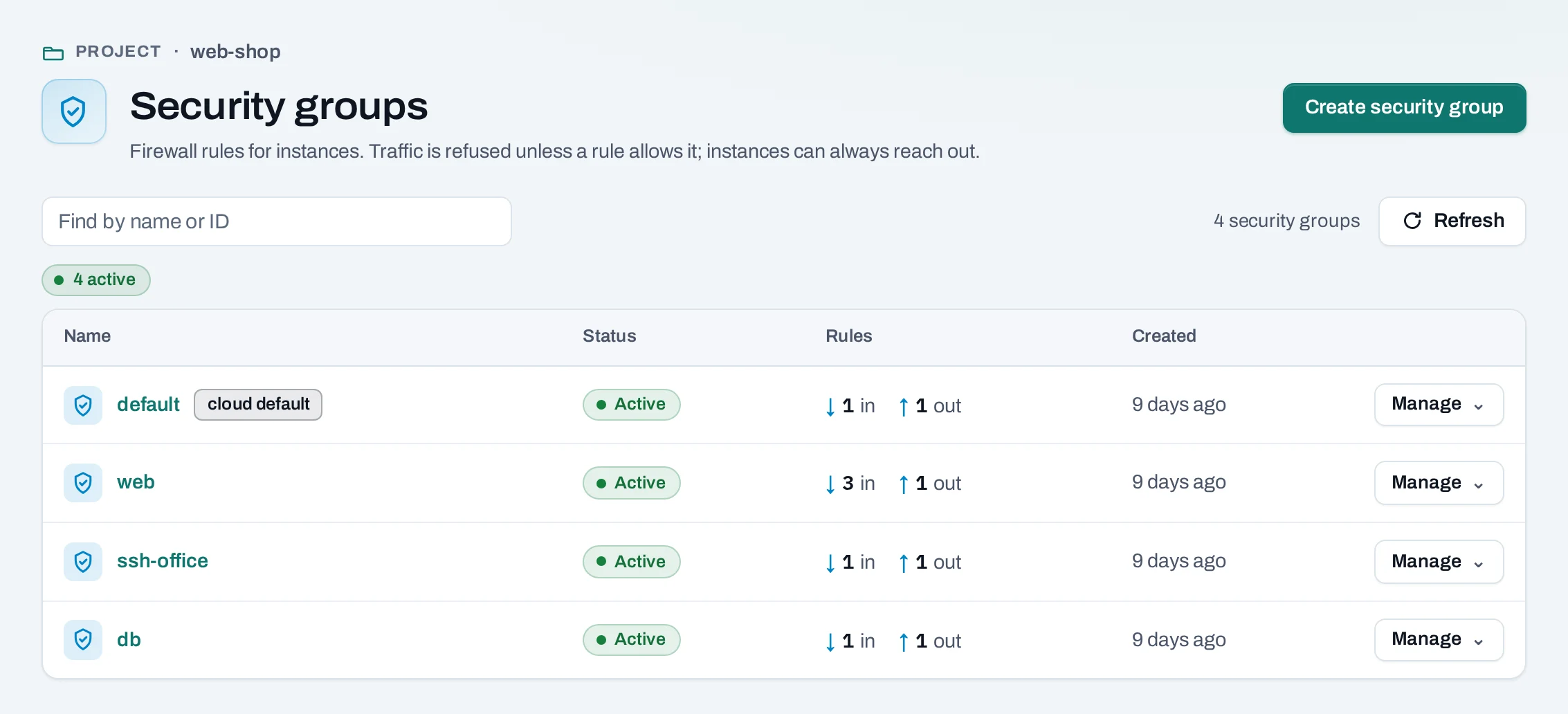
The default group
Every project has a group named default, marked cloud default. The location makes it; it
cannot be renamed or deleted. The instance create page chooses it to start with, and an instance
given no other group gets it. Its rules apply to every instance of the project that uses
default, so add rules to it with care.
Create a group
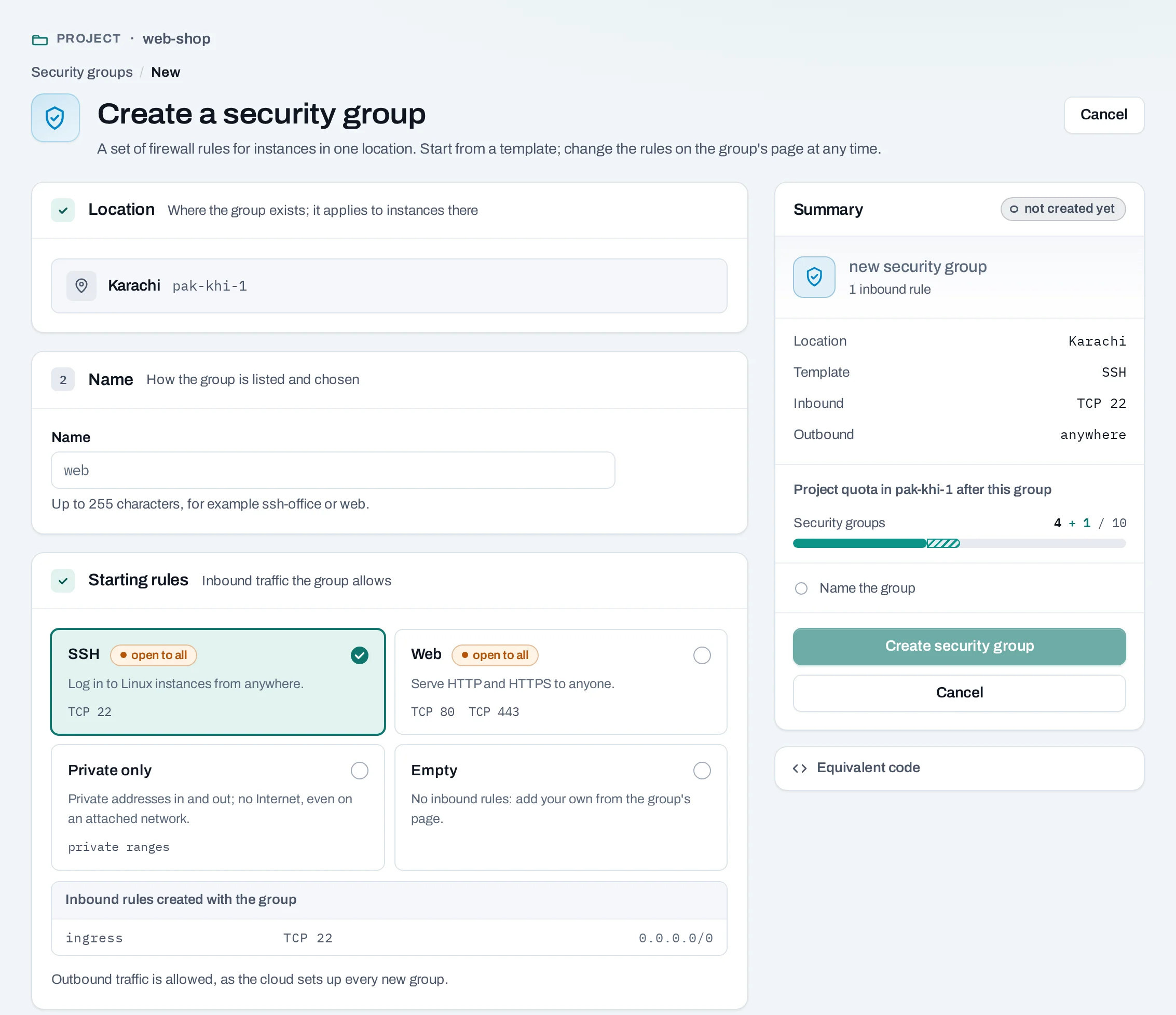
- Choose Create security group.
- Location shows the project's location.
- Name: unique in your organization, ignoring case, and never
default. For examplessh-officeorweb. - Starting rules:
- SSH: TCP 22 from anywhere.
- Web: TCP 80 and 443 from anywhere.
- Private only: everything in and out, but only to and from private ranges. No Internet, as long as the instance is in no other group that allows outbound traffic.
- Empty: no inbound rules.
- Choose Create security group.
curl -sS -X POST "$NUBESTACK_API/v1/orgs/$ORG/projects/$PROJECT/security-groups" \
  -H "Authorization: Bearer $NUBESTACK_API_KEY" \
  -H "Idempotency-Key: $(uuidgen)" \
  -H "Content-Type: application/json" \
  -d '{"location": "loc_01jbkhi", "display_name": "web", "template": "web"}'
template is ssh, web, private, or left out for an empty group.
Add and remove rules
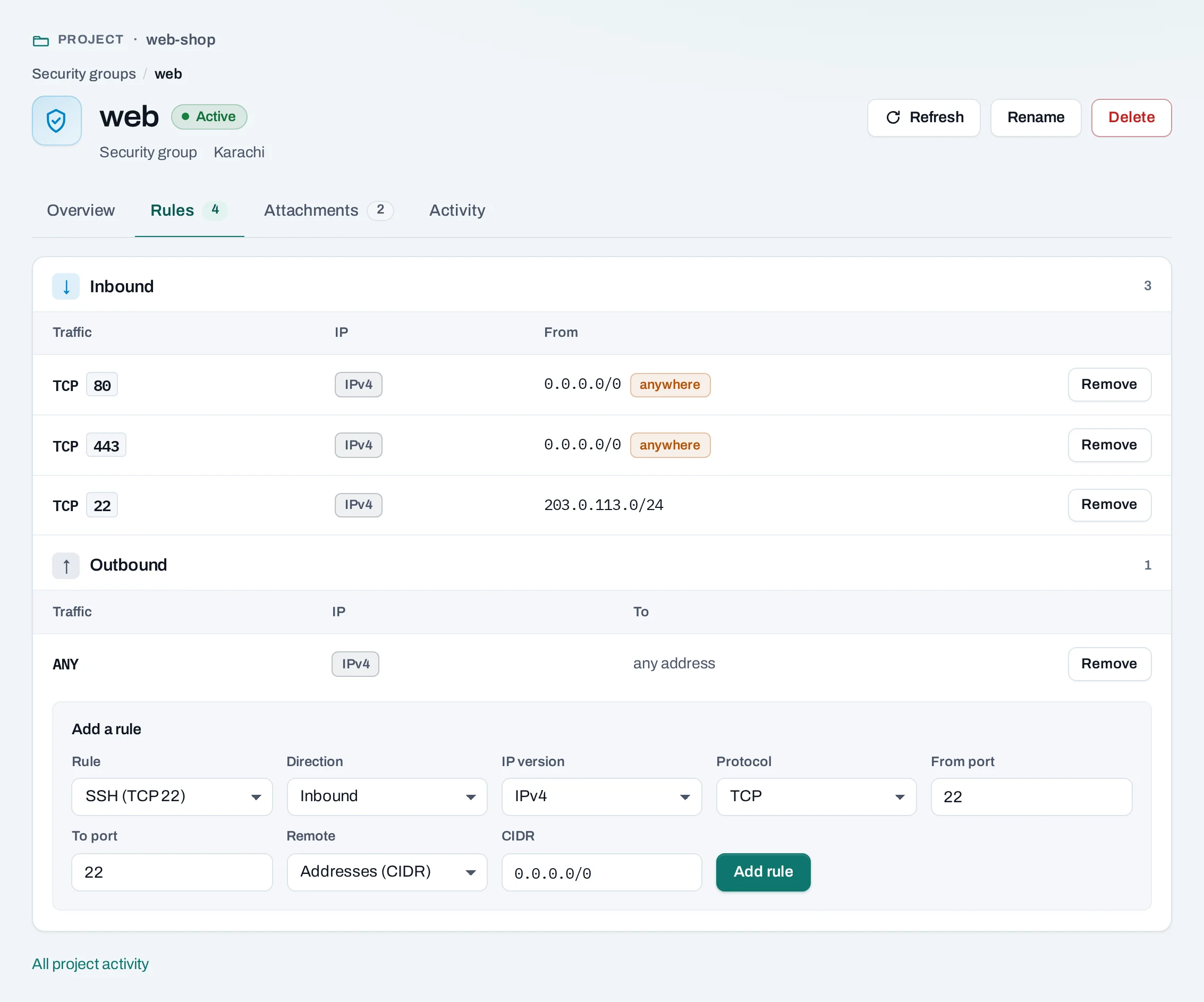
Open the group's Rules tab.
- Under Add a rule, pick a preset (SSH, HTTP, HTTPS, RDP, ICMP) or Custom rule.
- Direction: inbound or outbound. IP version: IPv4 or IPv6.
- Protocol: TCP, UDP, ICMP or Any. Ports: one port or a range; empty means all.
- Remote: Addresses (CIDR), such as
203.0.113.0/24for your office or0.0.0.0/0for anywhere, or Security group: every instance in that group. - Choose Add rule.
To remove a rule, choose Remove beside it. Traffic it allowed is refused at once.
curl -sS -X POST "$NUBESTACK_API/v1/orgs/$ORG/projects/$PROJECT/security-groups/sgr_01jbweb:add-rule" \
  -H "Authorization: Bearer $NUBESTACK_API_KEY" \
  -H "Idempotency-Key: $(uuidgen)" \
  -H "Content-Type: application/json" \
  -d '{"direction": "ingress", "protocol": "tcp", "port_min": 22, "port_max": 22, "remote_ip_prefix": "203.0.113.0/24"}'
:remove-rule takes the same fields. Use remote_group_id instead of
remote_ip_prefix to allow a group's instances.
A rule cannot be edited: add the new one, then remove the old. Once an instance is up, add an SSH
rule for your own addresses and remove the one open to 0.0.0.0/0.
Apply groups to an instance
Choose groups when you create an instance, or later with Manage → Security groups on the instance. Its groups apply on every network it is on. With no groups at all, the instance accepts and sends nothing.
How security groups connect
- A load balancer's instances need a rule that lets the load balancer reach the pool's port, for example TCP 8080 from the network's range.
- A rule whose remote is a security group matches its instances' own addresses, not traffic they forward for other ranges.
Delete a group
What blocks a delete
| Refusal | Why | Resolve |
|---|---|---|
security_group_in_use |
An instance or load balancer uses it; the message names each | Take the group off them first |
default_security_group |
It is the project's default group |
It cannot be deleted |
Good practice
- Open only the ports you serve, to the narrowest range that works.
- Allow database ports from the web tier's group, not from address ranges.
- IPv6 rules can be written, but networks are IPv4, so they rarely matter.