Second factor
A second factor is a six-digit code from an authenticator app on your phone, asked for after your password. It keeps your account safe when a password leaks.
When you are asked for it
| Situation | Second factor |
|---|---|
| You are an owner or admin of the organization | Always |
| You sign in to a location's Horizon dashboard or the OpenStack CLI | Always |
| Your organization requires it for every member | Always, after the grace period |
| Sensitive actions: making someone an owner (by a role change, an invitation or a new invitation link), closing the organization, deleting a project with everything in it, issuing or rotating an API key | You sign in again with it at that moment, unless your sign-in is recent |
| Otherwise | Not asked |
NubeStack can also require it for everyone on the platform; the settings page then says so.
Set it up
You are asked to set it up the first time you need it: when you accept an invitation that needs it, or sign in after your organization starts requiring it.
- Install an authenticator app on your phone, such as one that supports time-based codes (TOTP).
- Scan the code the sign-in page shows.
- Type the six-digit code the app shows, and continue.
To change phones or apps later, choose your initial at the top right of the console, then Password and sign-in.
Require it for every member
Owners only. Changing it asks for your own second factor first.
- In the organization, open Settings → Security.
- Turn on Enforce two-factor authentication.
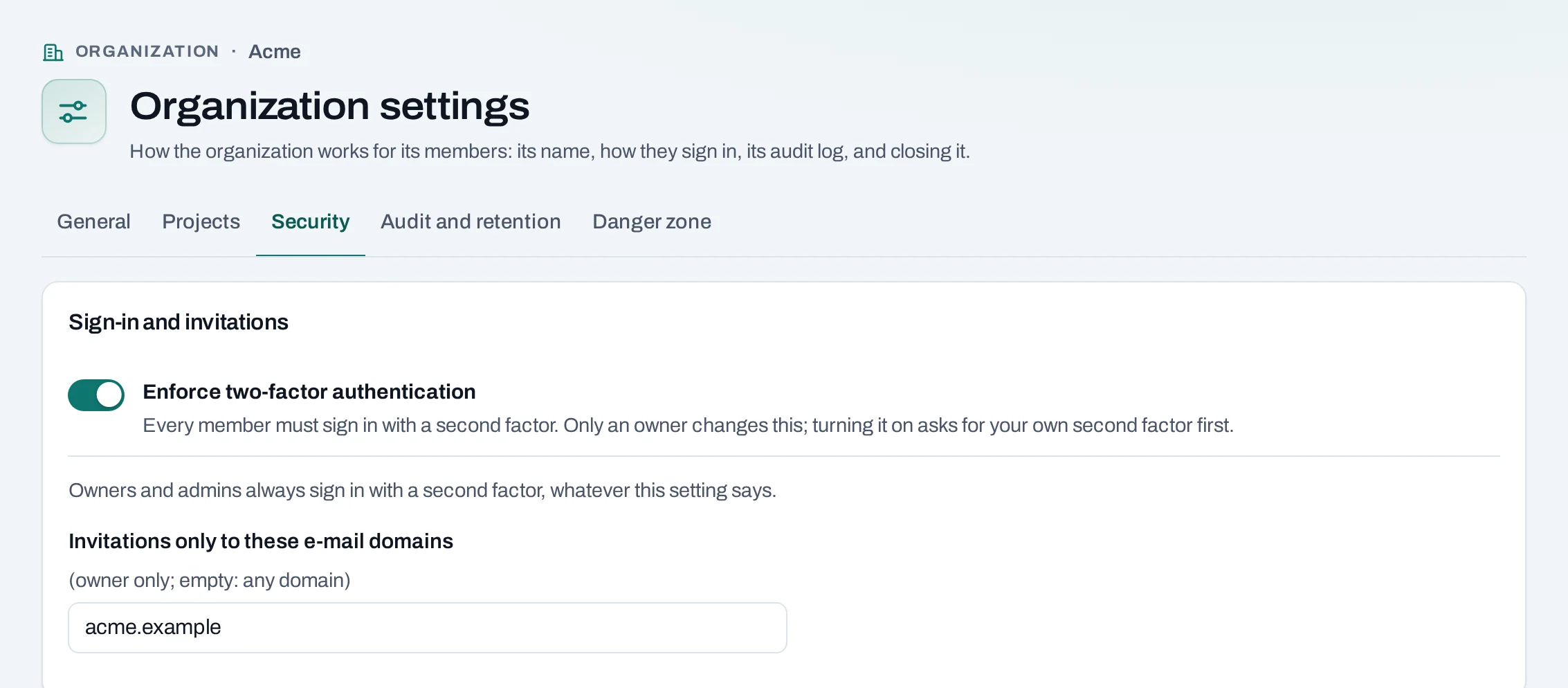
Members without a second factor are warned until the date shown (a grace period of 0 to 30 days, 7 by default), then refused until they set one up. Owners and admins always need it, whatever this setting says.
The same tab has Invitations only to these e-mail domains: list your domains, for example
acme.example, to refuse invitations to any other address.
Through the API
API keys of service accounts do not use a second factor. A request made with a person's session
that needs one is refused with 403 second_factor_required.
Lost your phone
Contact NubeStack support. Support sends a one-time reset link; opening it signs you in once, your old password and second factor stop working, and you set new ones.