Manage an instance
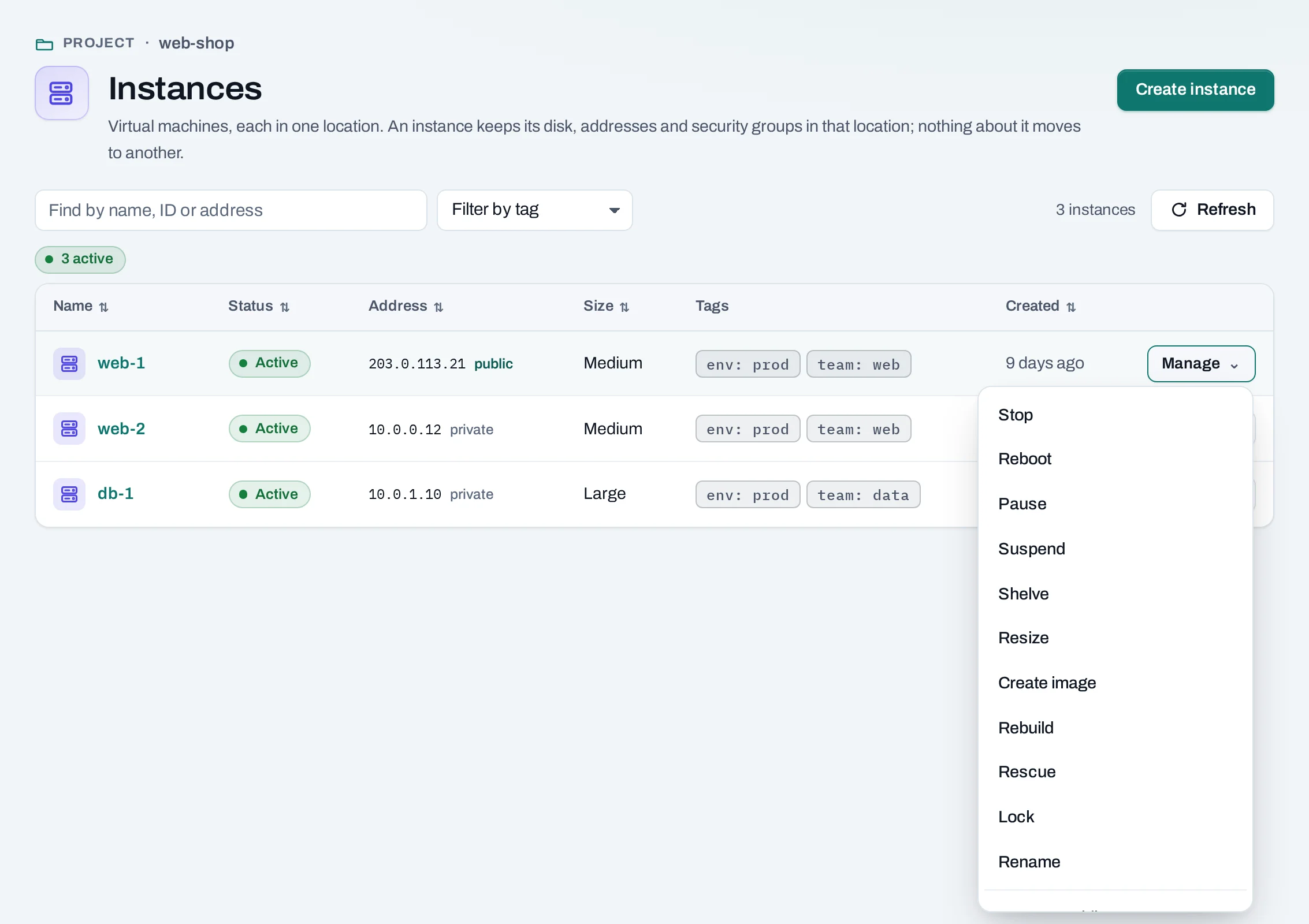
Every instance has a Manage menu, in the list and on its page. It offers only what the instance's state allows. Each action is an operation: the console accepts it at once and the location carries it out.
Before you start
You need a role of project admin or project member. A locked instance offers only Unlock.
What each state allows
| State | Actions |
|---|---|
| Active | Stop, Reboot, Pause, Suspend, Shelve, Resize, Create image, Rebuild, Rescue, Lock |
| Stopped | Start, Shelve, Resize, Create image, Rebuild, Rescue, Lock |
| Paused | Resume |
| Suspended | Resume |
| Shelved | Unshelve |
| Rescued | Unrescue |
| Error | Reboot, Rebuild, Rescue |
| Locked | Unlock, and nothing else |
Rename and Delete are always offered, except while the instance is changing.
What each action does
| Action | Effect | API |
|---|---|---|
| Stop / Start | Shuts it down and starts it again. Disks, addresses, settings and its place on its host stay. | :stop, :start |
| Reboot | Restarts it. Programs are interrupted and connections drop. | :reboot (type: soft or hard) |
| Pause / Resume | Freezes it in memory; nothing runs until you resume. | :pause, :unpause |
| Suspend / Resume | Saves its memory to disk and stops it. | :suspend, :resume |
| Shelve / Unshelve | Shuts it down and gives up its place on its host. Unshelving takes longer than a start. | :shelve, :unshelve |
| Resize | Moves it to another size; see below. | :resize |
| Rebuild | Replaces its system disk with a fresh copy of an image; see below. | :rebuild |
| Rescue / Unrescue | Restarts it from a fresh copy of its image, with its own disk attached for repair. | :rescue, :unrescue |
| Lock / Unlock | Stops anyone changing or deleting it until it is unlocked. | :lock, :unlock |
| Create image | Saves its system disk as one of the project's images. | :create-image |
| Rename | Changes its name, here and in the location's tools. | PATCH |
Every action is a POST to …/servers/{server_id}:<action> and answers 202 Accepted:
curl -sS -X POST "$NUBESTACK_API/v1/orgs/$ORG/projects/$PROJECT/servers/srv_01jbweb1:stop" \
  -H "Authorization: Bearer $NUBESTACK_API_KEY" \
  -H "Idempotency-Key: $(uuidgen)" \
  -H "Content-Type: application/json" \
  -d '{}'
Resize
Resize moves an instance to another size. It restarts on the new size and comes back as it was, running or stopped.
- Choose Manage → Resize.
- Pick the New size from the sizes the location offers.
- Choose Resize and follow the operation.
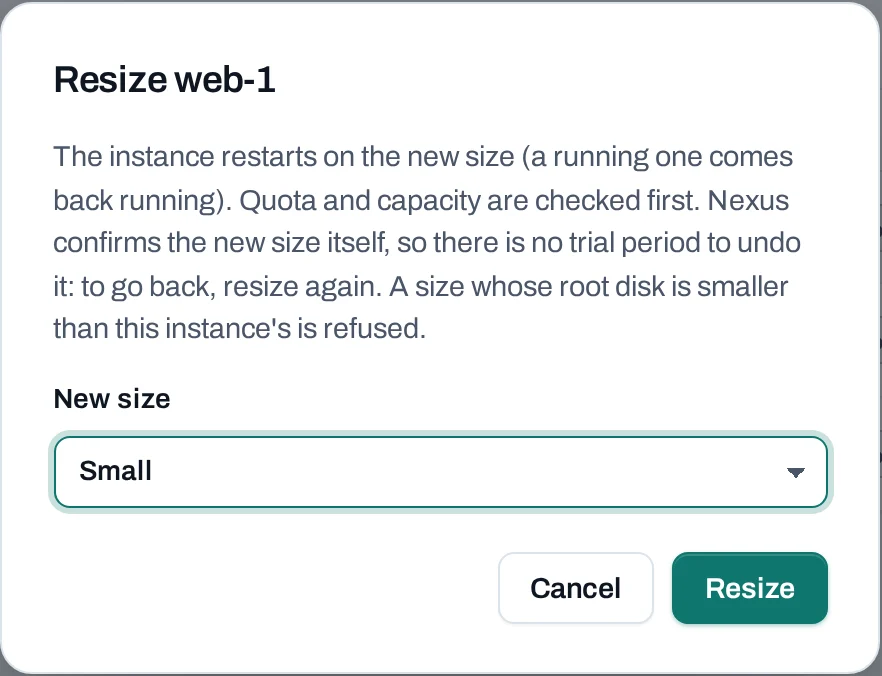
Quota and capacity are checked first. A size with a smaller root disk is refused. There is no trial period: to go back, resize again.
Rebuild
Rebuild replaces the system disk with a fresh copy of an image you choose. Everything written to that disk is lost. Its addresses, volumes, security groups and SSH key stay.
Choose Manage → Rebuild, pick the Image and choose Rebuild instance.
Rescue a broken instance
When an instance no longer starts, Rescue starts it from a fresh copy of its image, with its own disk attached as an extra disk. Log in, mount the disk, fix it, then choose Unrescue to start from its own disk again. The console log often shows why it would not start.
Tags and metadata
- Tags tab:
key: valuelabels for filtering lists and grouping costs. See Tags. - Metadata tab: choose Change metadata to set or remove keys the instance reads from
inside. A key is 1 to 64 letters, digits,
-or_; a value at most 255 characters. Keys starting withnexusare reserved. The console cannot list the keys an instance already has; the location's own tools show them.
Good practice
- Stop keeps an instance's place on its host and starts quickly. Shelve frees the place; use it for an instance you will not need for a while.
- A stopped instance still counts for its disks and public IPs. See Usage and costs.
- Lock production instances so nobody stops or deletes them by mistake.
- To stop and start instances on a timetable, use a power schedule.