Quota
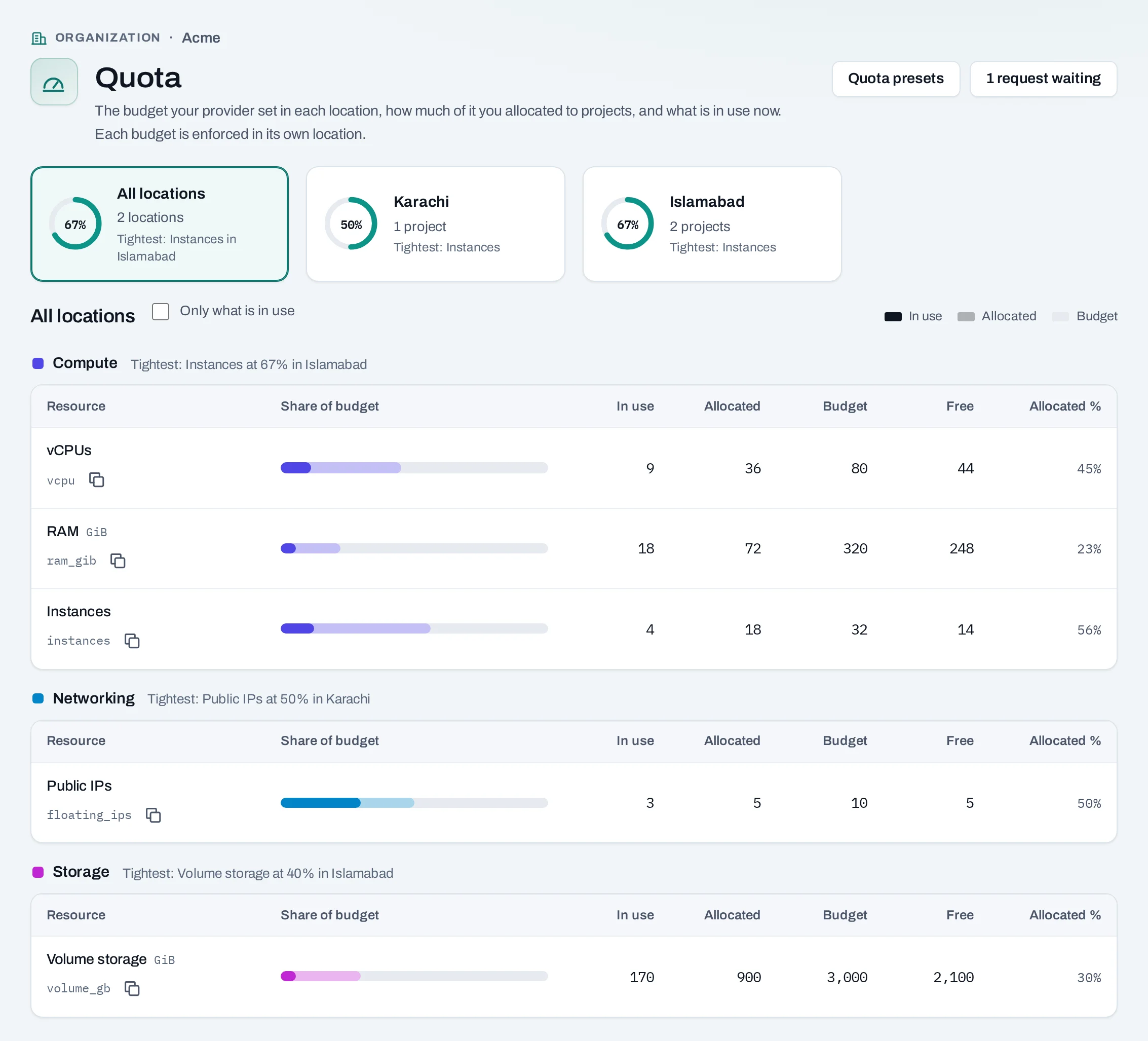
Quota is how much a project may hold in a location: instances, vCPUs, memory, volumes and the rest. It is set in two layers:
- NubeStack sets the organization's budget in each location: how much the organization may hand out there.
- Your owners and admins share that budget between the projects in that location: each project gets its own quota. Only owners and admins set project quota.
See quota
- Owners and admins: Quota at the bottom of the menu in the organization scope. Show quotas for picks one location or all together. The page warns when a budget is nearly or fully allocated, and the bell keeps the warning.
- Everyone with a project role: Quota at the bottom of the project's menu shows the project's quota, what it uses, and what it used this month.
Set a project's quota
- In the organization's Settings → Projects, choose Manage → Edit quotas for the project.
- Change the figures under Quota per resource. Budget left beside each says how much more the organization can give in the project's location.
- Choose Save quota. The location applies it within a few minutes.
Project quota is set by people in the console. A service account's API key can read a project's
quota (GET …/projects/{project_id}/quota) but not change it.
Lowering a figure below what the project uses needs Lower anyway. Nothing running is removed, but nothing new of that kind can be made until use falls below it. A figure marked not enforced in this cloud is one that location does not limit.
What blocks a change
| Refusal | Why | Resolve |
|---|---|---|
budget_exceeded |
More than the organization's budget has left in that location | Lower another project's quota, or request more |
| Below what is in use | The project already uses more | Choose Lower anyway, or free resources first |
The resources: instances, vCPUs, RAM (GiB), volumes, volume storage (GiB), volume snapshots, networks, subnets, ports, routers, public IPs, security groups, security group rules, images and image storage (GiB), and load balancers where the location offers them.
Quota presets
A quota preset is the quota a new project starts with: the preset's figure, or what is left of the budget in its location, whichever is less. Owners and admins manage them from Quota → Quota presets.
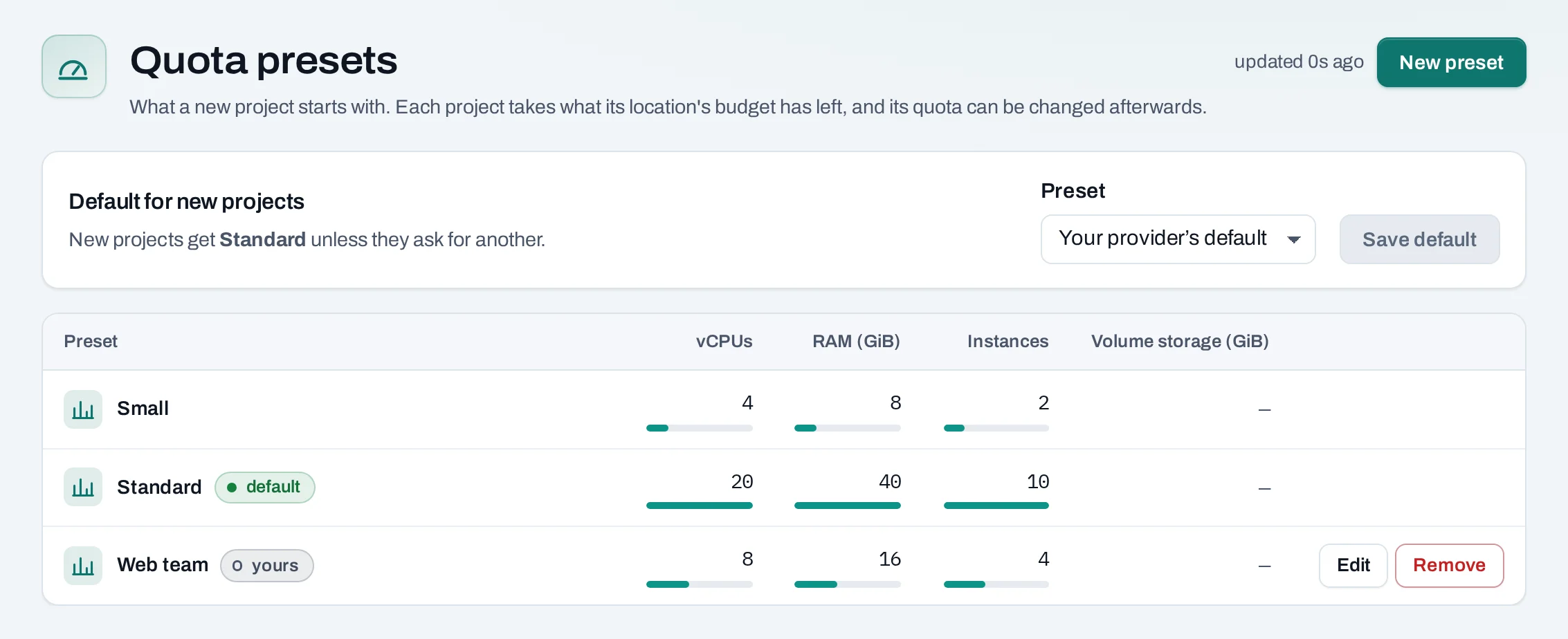
- Default for new projects: pick one and Save default.
- New preset: a name and a starting figure for each resource.
- Edit reaches only projects created afterwards. Remove leaves projects made from it as they are; the default cannot be removed.
Request more quota
When a budget runs short, owners and admins ask NubeStack for more, one location at a time.
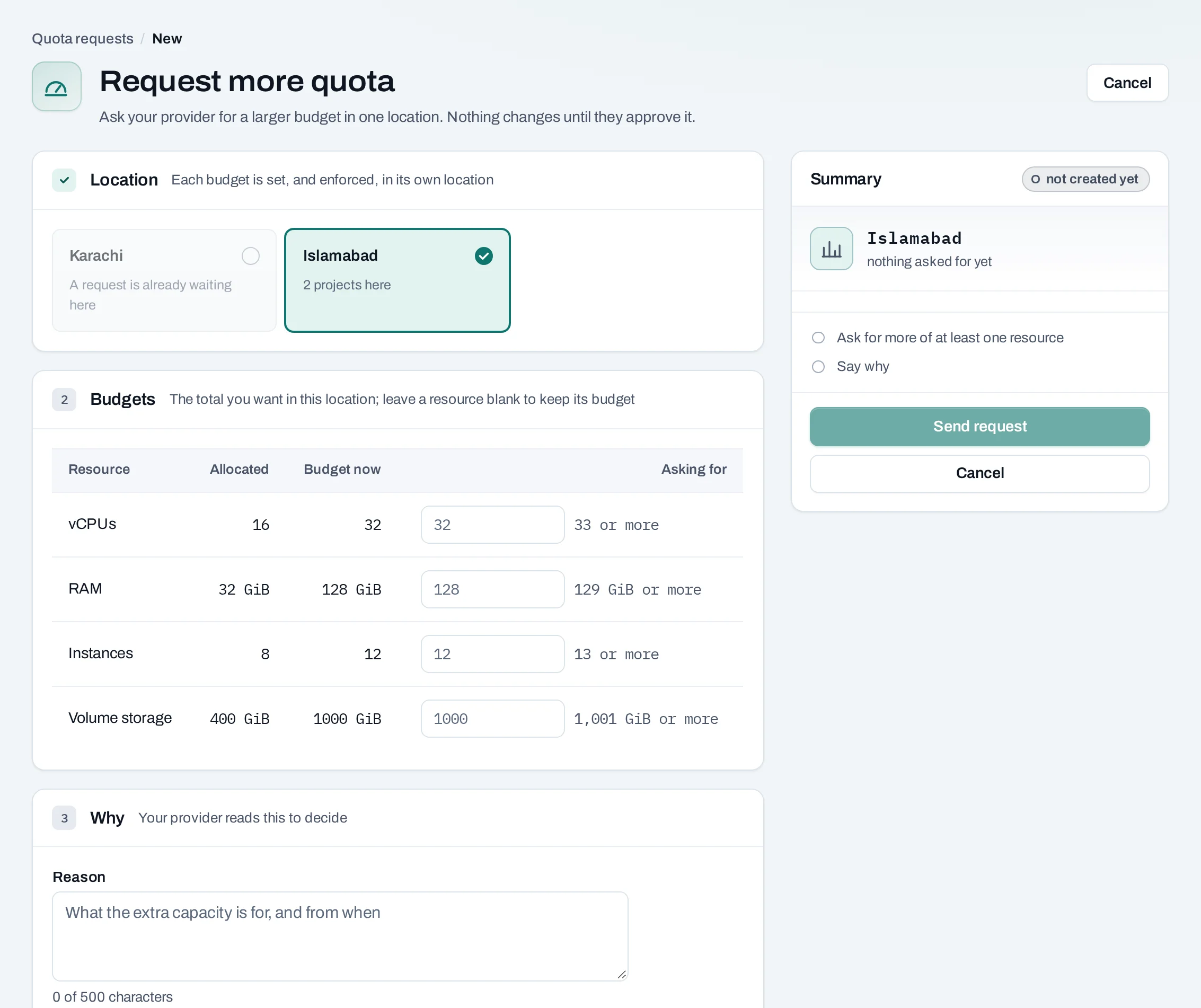
- From Quota, choose Request more quota.
- Choose the location, and for each resource the total you want there.
- Say what the capacity is for and from when.
- Choose Send request.
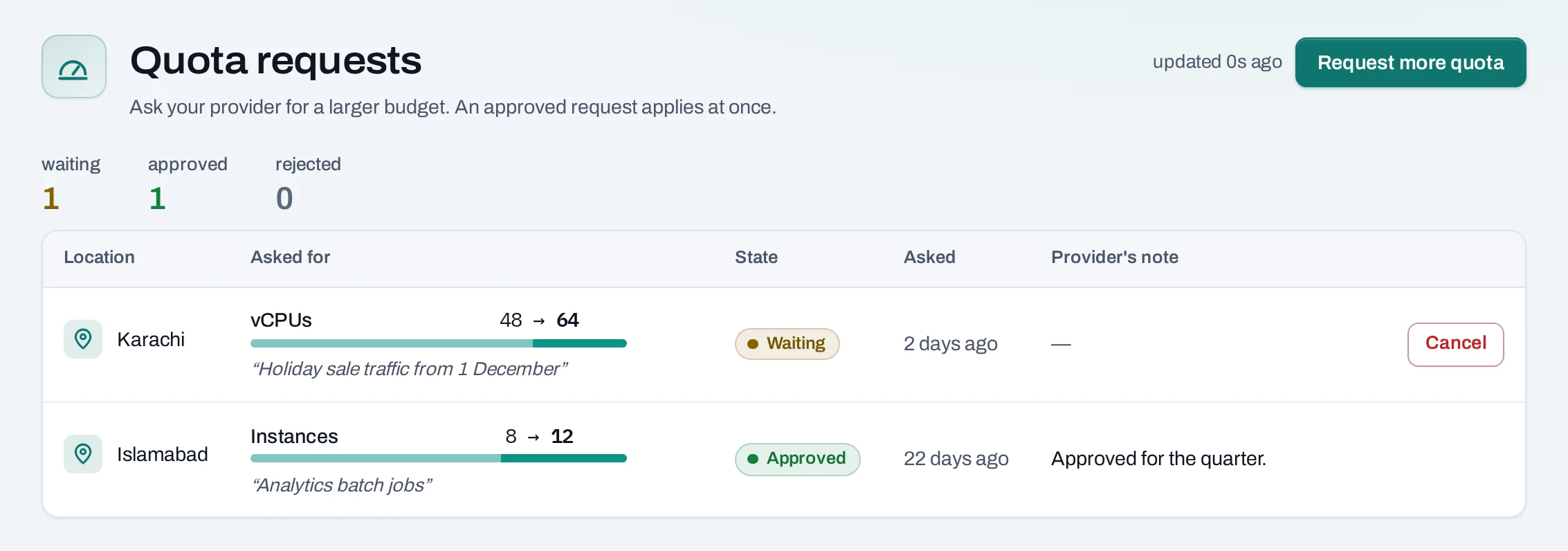
The answer, and any note, appears under Quota requests; an approved request applies at once. One request per location can wait at a time; Cancel request withdraws it.
Quota is not capacity
Quota says how much you may use. Whether a location has room right now is separate: a request within quota can still fail when a location has no room for that size. The operation says so; try another size, or try again later.