Snapshots
A snapshot is a point-in-time copy of one volume. Take one before a risky change, then make a new volume from it if you need to go back.
A snapshot sits on the same storage as its volume. It protects you against a change you want to undo, not against losing that storage: it is not a backup.
Find them under Storage → Snapshots.
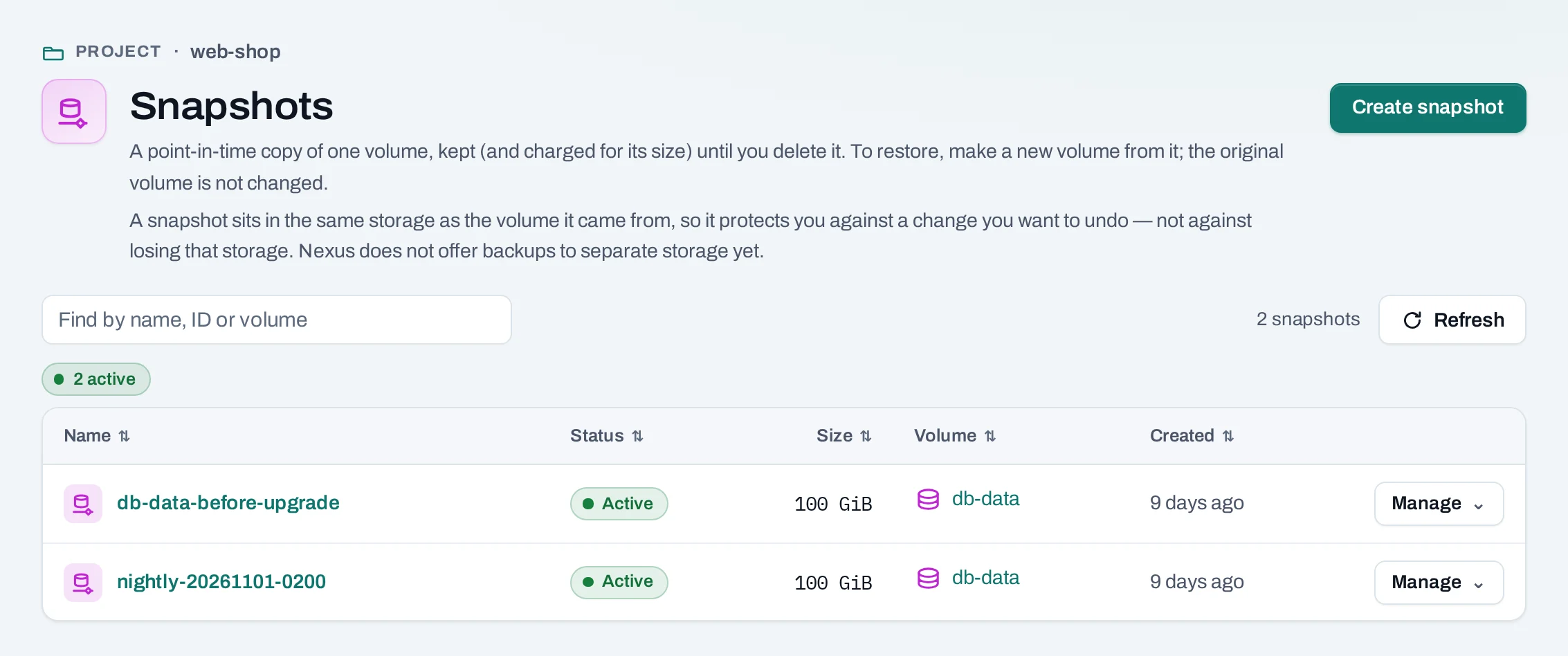
Take a snapshot
- Inside the instance, stop whatever writes to the volume and unmount it.
- Detach the volume. A stopped instance keeps its volumes attached, and an attached volume cannot be snapshotted by hand.
- Choose Manage → Create snapshot on the volume and name it, or Create snapshot on the Snapshots page and pick the volume. For owners, admins and the billing role, the dialog says the price per GiB-hour and per month.
- Choose Create snapshot.
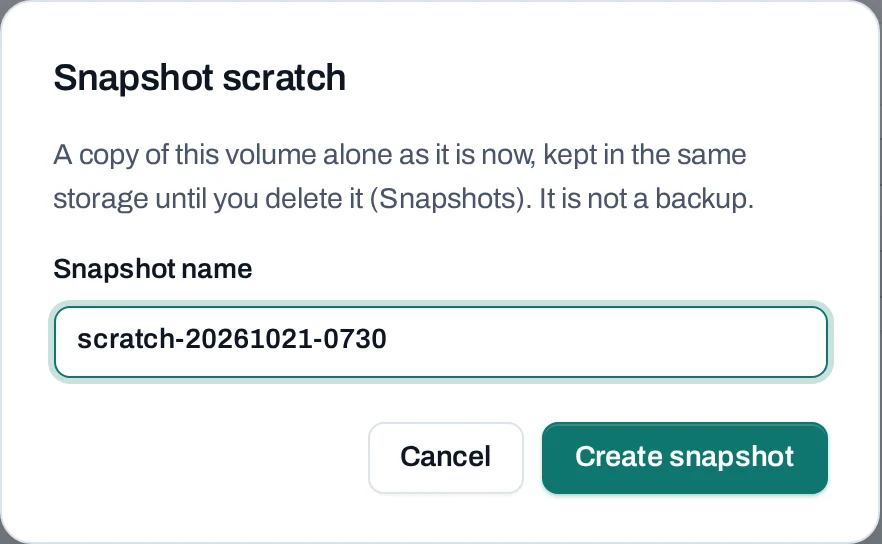
A snapshot holds that one volume only: not the instance's other volumes, its memory, or other instances. To snapshot volumes in use on a timetable, use a backup schedule; it takes crash-consistent snapshots.
Restore a snapshot to a new volume
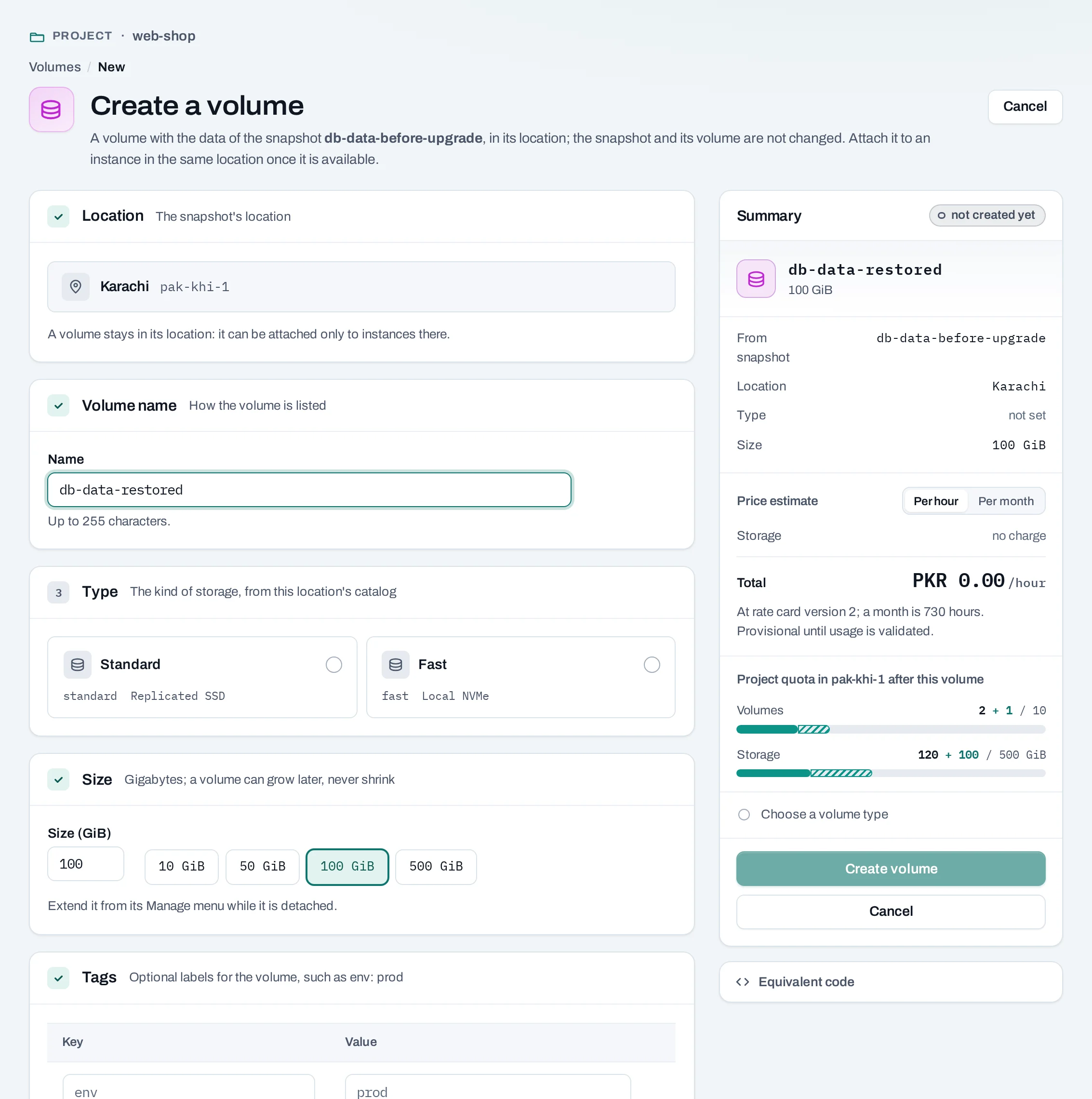
Choose Manage → Create volume from it on the snapshot, name the volume and choose its size (at least the snapshot's). Then attach it in place of the old volume, or beside it to copy files across.
curl -sS -X POST "$NUBESTACK_API/v1/orgs/$ORG/projects/$PROJECT/volumes" \
  -H "Authorization: Bearer $NUBESTACK_API_KEY" \
  -H "Idempotency-Key: $(uuidgen)" \
  -H "Content-Type: application/json" \
  -d '{"location": "loc_01jbkhi", "display_name": "db-data-restored", "size_gb": 100, "snapshot_id": "vsn_01jbdbsnap"}'
The original volume and the snapshot are not changed; a snapshot cannot be written back over its volume. The new volume is independent: you can delete the snapshot or the old volume and keep it. If you made it larger, grow its file system inside the instance.
Delete a snapshot
What blocks a delete
| Refusal | Why | Resolve |
|---|---|---|
snapshot_restore_pending |
A volume is still being made from it | Wait until that volume is available |
Limits and good practice
- Snapshots are kept, and their size counted in your usage, until you delete them.
- A volume cannot be deleted while it has snapshots.
- Test a restore now and then: a snapshot you have never restored is a guess.
- For a database, prefer its own dump or backup tool, and copy the dump off the location.