Load balancers
A load balancer gives several instances one address. It answers on the ports you choose (listeners) and spreads each port's traffic over a pool of instances. A health check stops traffic to an instance that stops answering.
Use it for a site or service run on more than one instance, for replacing instances without changing the address, and for serving HTTPS with your certificates.
Find them under Networking → Load balancers.
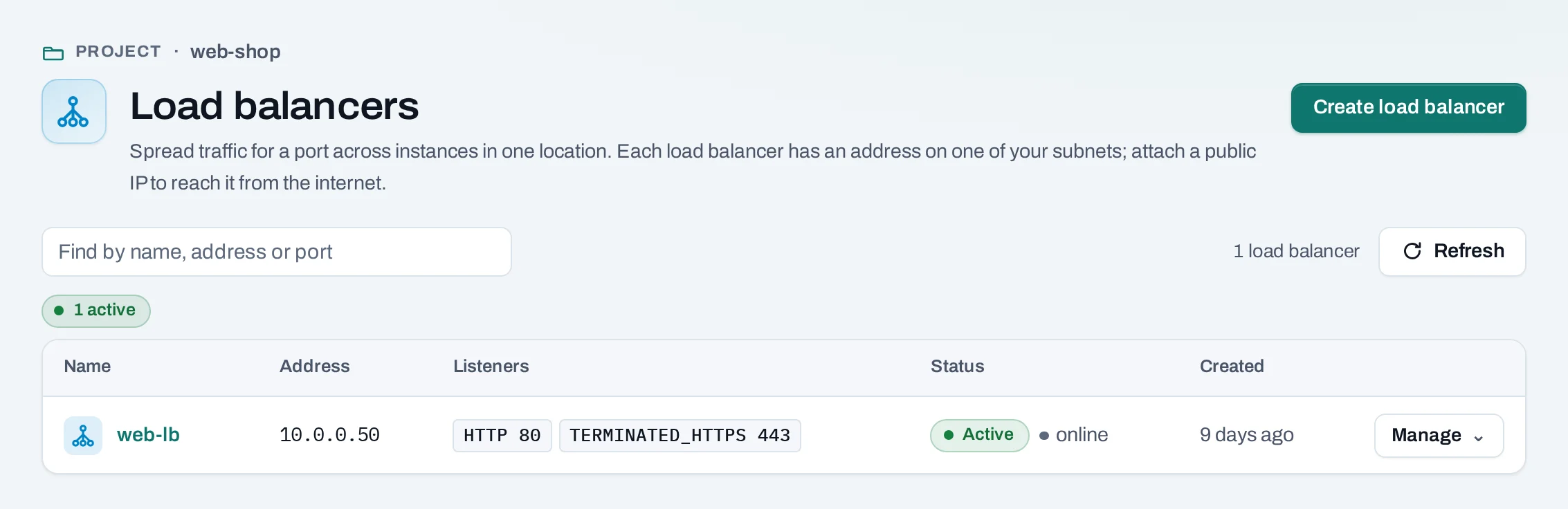
Where they are offered
Load balancers exist only in locations that offer them. In a project whose location offers none, the create page says so. Each Type says which protocols, balancing methods and health checks it supports. Type names come from the location's catalog. Ending HTTPS on the load balancer with your certificate is offered only by types that say HTTPS with your certificate.
Before you start
- Instances of the project, on a network the load balancer can use, serving on a known port.
- A security group rule that lets the load balancer reach that port, for example TCP 8080 from the network's range.
- For HTTPS that ends on the load balancer, your certificates, uploaded to the project.
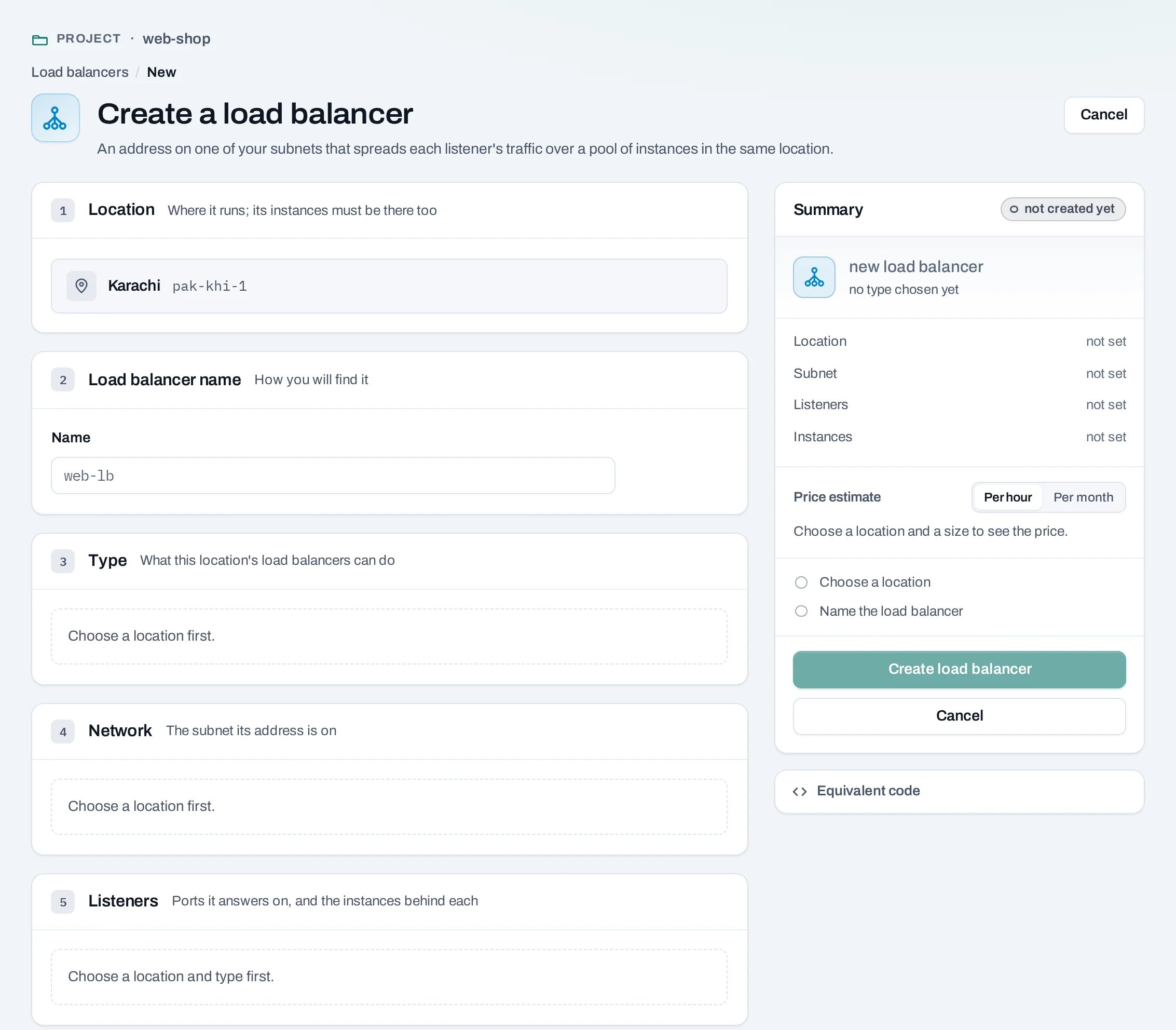
Create a load balancer
- Choose Create load balancer.
- Name and Type. Location shows the project's location.
- Subnet: the network its private address is on. Choose a routed network if you will give it a public IP.
- Listeners, for each port it answers on:
- Protocol and port, for example HTTP on 80. Up to 10 listeners, no two on the same protocol and port.
- For HTTPS, TLS ends here, the Certificate, and optionally Also serve these certificates (by host name). Its pool receives plain HTTP. See several certificates on one listener.
- Add a pool of instances: the instances and the port each listens on, and the Balancing method, such as round robin.
- Health check: how often to test each instance (Every (s)) and how long to wait (Timeout (s)). Without one, traffic goes to every instance, answering or not.
- Check the summary, with the price estimate for owners, admins and the billing role, and choose Create load balancer.
curl -sS -X POST "$NUBESTACK_API/v1/orgs/$ORG/projects/$PROJECT/load-balancers" \
  -H "Authorization: Bearer $NUBESTACK_API_KEY" \
  -H "Idempotency-Key: $(uuidgen)" \
  -H "Content-Type: application/json" \
  -d '{
    "location": "loc_01jbkhi",
    "display_name": "web-lb",
    "subnet_id": "sbn_01jbapp",
    "listeners": [{
      "protocol": "HTTP", "port": 80,
      "pool": {
        "algorithm": "ROUND_ROBIN",
        "members": [{"server_id": "srv_01jbweb1", "port": 8080}, {"server_id": "srv_01jbweb2", "port": 8080}],
        "health_monitor": {"type": "HTTP", "delay": 5, "timeout": 3, "max_retries": 3}
      }
    }]
  }'
offering picks the type (default default). An HTTPS listener uses "protocol":
"TERMINATED_HTTPS", certificate_id and optional sni_certificate_ids; see
Serve an application over HTTPS.
Change a load balancer
Open it. The Listeners tab shows each port, its pool, the instances behind it and their recorded health.
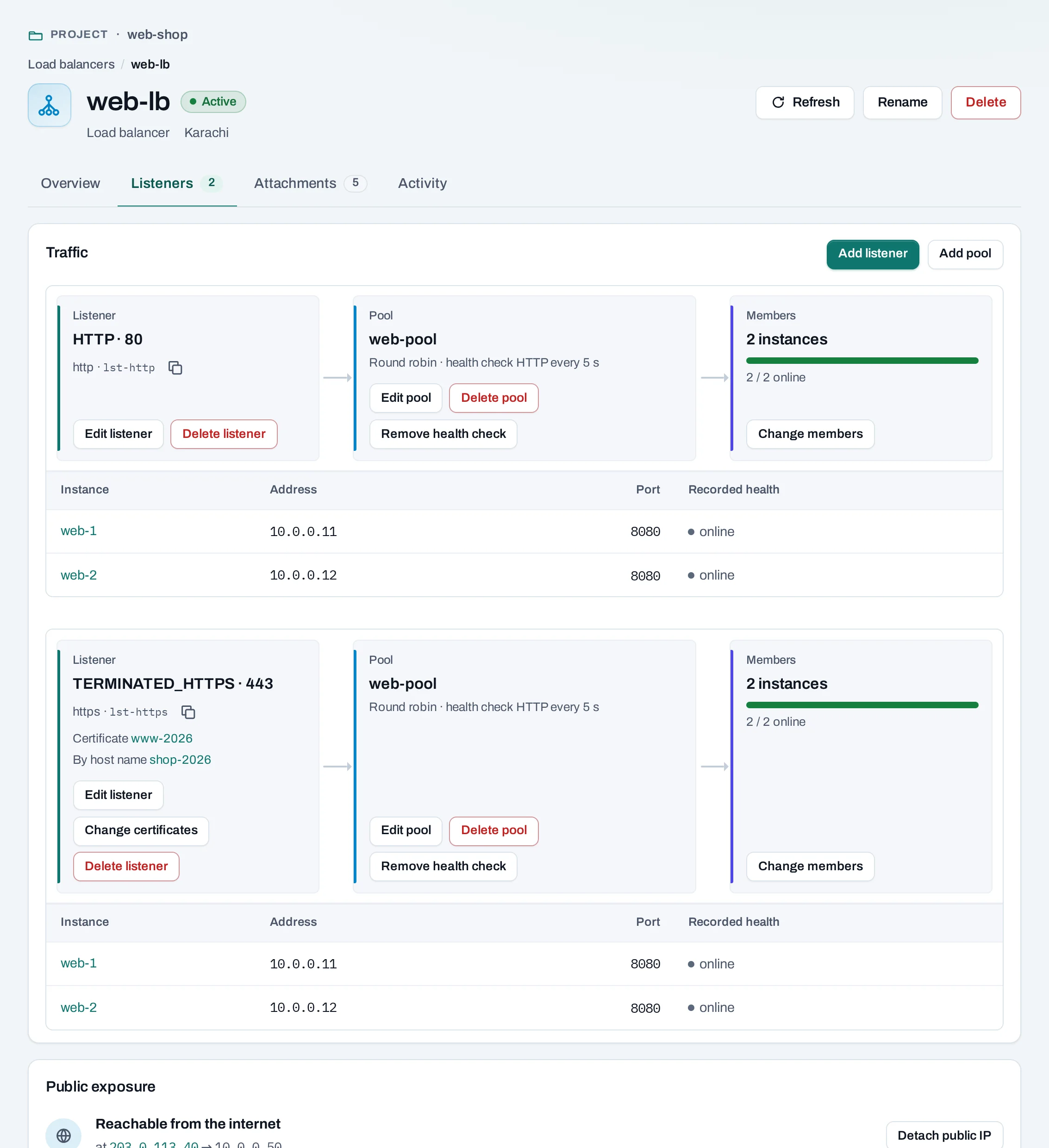
- Add listener: another port on the same address. A listener's protocol and port cannot change; add a new listener instead.
- Add pool: a pool of instances, which you then connect to a listener.
- Edit listener / Edit pool: its pool or balancing method, and its name.
- Change certificates, on an HTTPS listener that ends TLS: its default certificate and the ones it serves by host name.
- Change members: add or take out instances. One taken out stops getting new traffic; it is not changed or deleted.
- Add health check and Remove health check.
- Attach a public IP, under Public exposure on the Overview tab.
- Rename: only the name changes.
Listener and pool changes carry the version you read, in expected: the
lb_configuration.version of the listener or pool. A stale version is refused; read again.
curl -sS -X POST "$NUBESTACK_API/v1/orgs/$ORG/projects/$PROJECT/load-balancers/lbs_01jbweblb/pools/lbp_01jbwebpool/members:replace" \
  -H "Authorization: Bearer $NUBESTACK_API_KEY" \
  -H "Idempotency-Key: $(uuidgen)" \
  -H "Content-Type: application/json" \
  -d '{"members": [{"server_id": "srv_01jbweb1", "port": 8080}, {"server_id": "srv_01jbweb3", "port": 8080}]}'
Other changes: POST …/listeners, PATCH/DELETE …/listeners/{id}, POST …/pools,
PATCH/DELETE …/pools/{id}, and POST/DELETE …/pools/{id}/health-monitor.
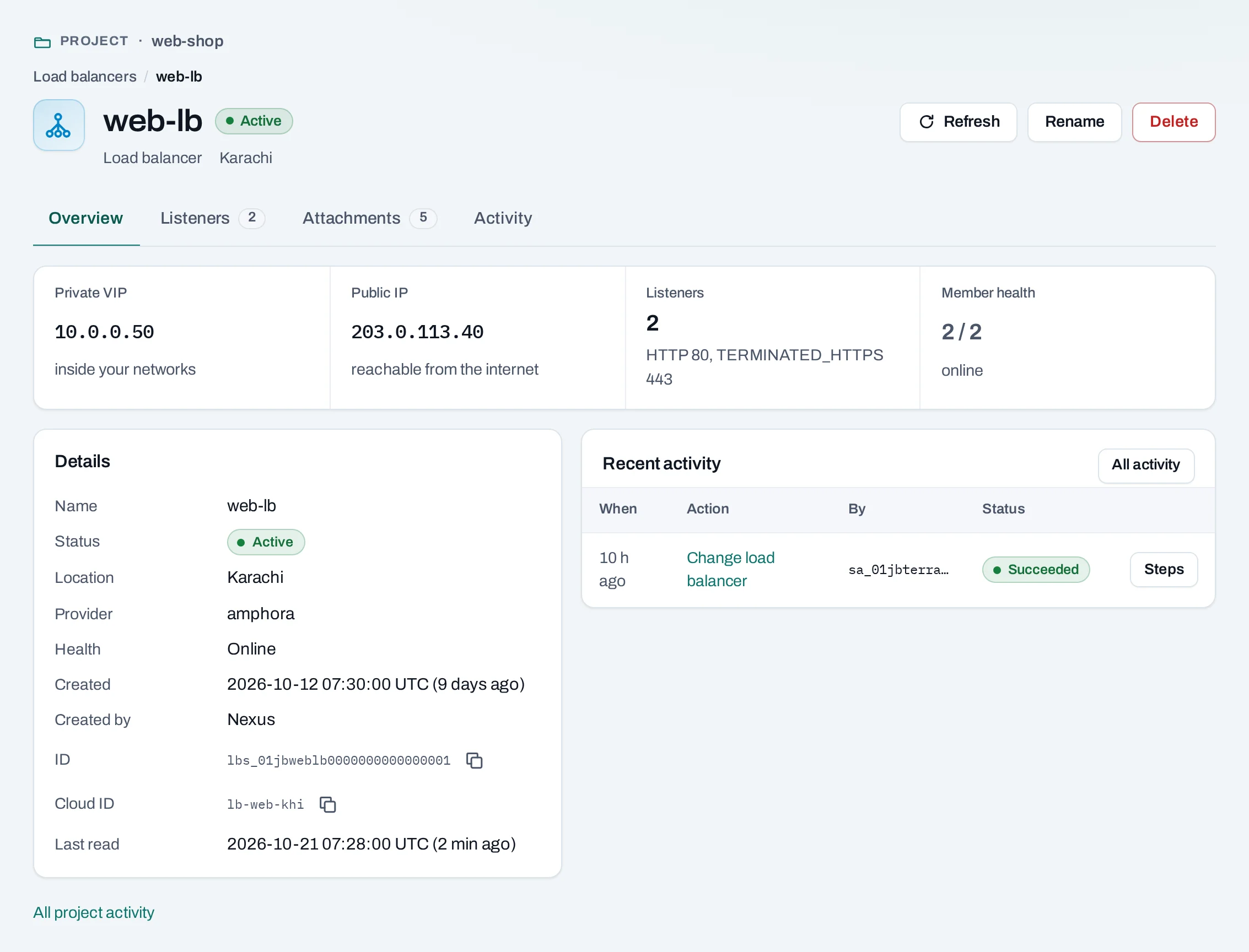
The page warns when some instances fail their health checks, and when none pass, so traffic has nowhere to go.
How load balancers connect
| Connected to | How |
|---|---|
| Instances | Members of a pool, by instance and port. An instance can join a pool when it is created. |
| Instance groups | A group keeps its instances in a pool. |
| Public IPs | One public IP reaches the load balancer's private address. |
| Certificates | HTTPS listeners that end TLS serve them. |
| Networks | The load balancer's address comes from a network's range. |
Delete a load balancer
Its listeners, pools and health checks go with it. The instances behind it and its certificates are not touched. A public IP on it is detached and stays allocated until you release it.
What blocks a delete
| Refusal | Why | Resolve |
|---|---|---|
lb_child_in_use |
Deleting a pool that a listener uses, or that still has members or a health check | Point the listener elsewhere, change its members to none, remove the health check |
Nothing blocks deleting the whole load balancer.
Limits and good practice
- Up to 10 listeners per load balancer and 100 members per pool.
- Counted as Load balancer hours for as long as it exists, whatever its state.
- Always add a health check that tests the application, not just the port.
- Not offered: client certificates, choosing TLS versions and ciphers, and routing by path or header (L7 policies). Where a location's types cannot end TLS, use TCP on 443 and end TLS on the instances.