Server groups
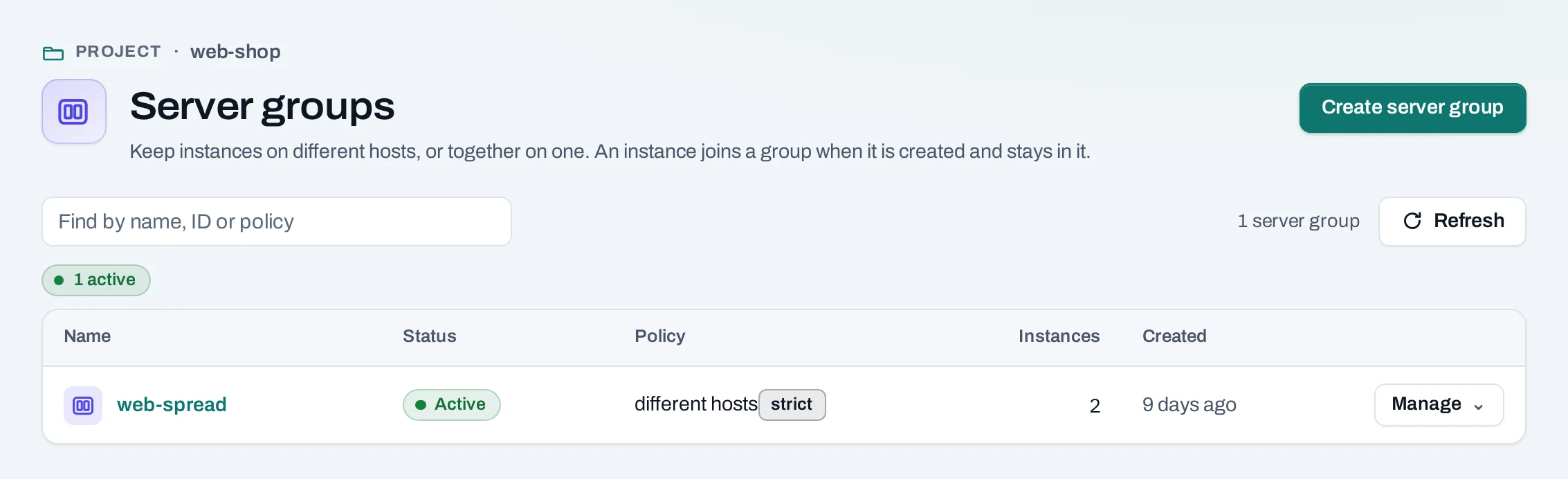
A server group tells the location where to start the instances in it: on different hosts, so one host failing takes down only one of them, or together on one host. You choose the group when you create an instance; an instance cannot join a group later, leave it, or move to another.
Use it for replicas that must not share a machine, such as database or web nodes.
Find them under Compute → Server groups.
Before you start
Decide the policy before you create instances: membership is fixed when an instance is created.
Create a server group
- Choose Create server group.
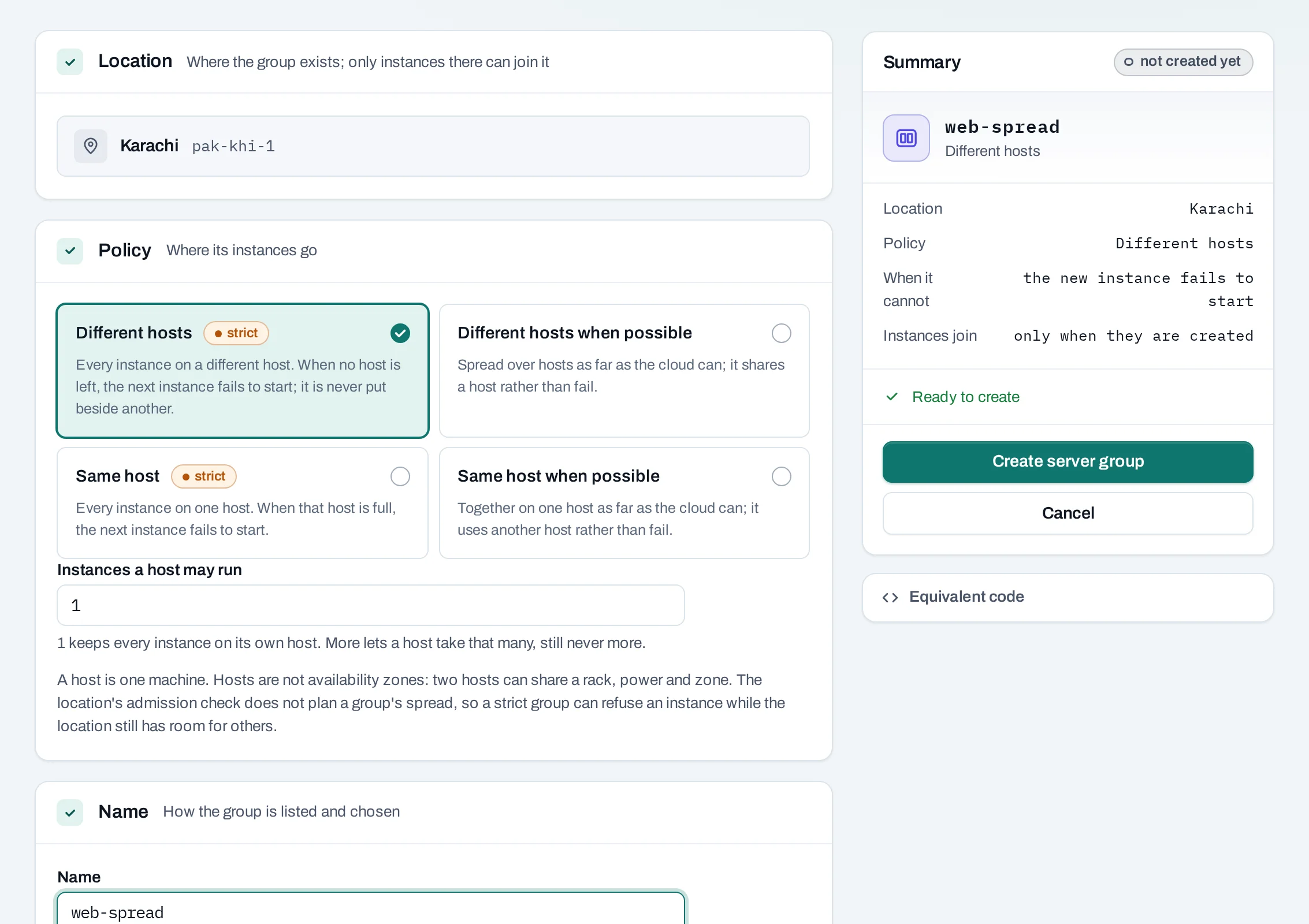
- Location: only instances in the same location can join.
- Policy:
- Different hosts: every instance on its own host. When no host is left, the next instance fails to start. Instances a host may run allows more than one, up to 10.
- Different hosts when possible: spread as far as the location can; an instance shares a host rather than fail.
- Same host: every instance on one host. When it is full, the next one fails.
- Same host when possible: together as far as the location can.
- Name: up to 64 characters, with no space at either end.
- Choose Create server group.
curl -sS -X POST "$NUBESTACK_API/v1/orgs/$ORG/projects/$PROJECT/server-groups" \
  -H "Authorization: Bearer $NUBESTACK_API_KEY" \
  -H "Idempotency-Key: $(uuidgen)" \
  -H "Content-Type: application/json" \
  -d '{"location": "loc_01jbkhi", "display_name": "web-spread", "policy": "anti-affinity"}'
policy is anti-affinity (different hosts), soft-anti-affinity, affinity (same host)
or soft-affinity. max_server_per_host applies to anti-affinity only.
Start an instance in a group
Choose the group under Server group on the instance create page, or Manage → Create an
instance in it on the group. In the API, pass server_group_id when you create the instance.
With a strict policy, an instance that no host can take without breaking the rule fails to start, and its page says so. The location may still have room outside the group. Delete the failed instance, then use a "when possible" policy, or contact support.
How it connects
A host is one machine. Hosts are not availability zones: two hosts can share a rack and power. Different hosts protects against one machine failing, not a whole site.
Delete a server group
What blocks a delete
| Refusal | Why | Resolve |
|---|---|---|
server_group_in_use |
The group has instances, and an instance cannot leave its group | Delete its instances first |
Limits and good practice
- A location limits how many groups a project has and how many instances one group holds: 10 of each unless NubeStack set otherwise. An instance refused because its group is full says so.
- In Horizon and the OpenStack CLI, a group's name ends with a reference in brackets, for example
web-spread [0192f6a4-…]; the console shows it without.