Public IPs
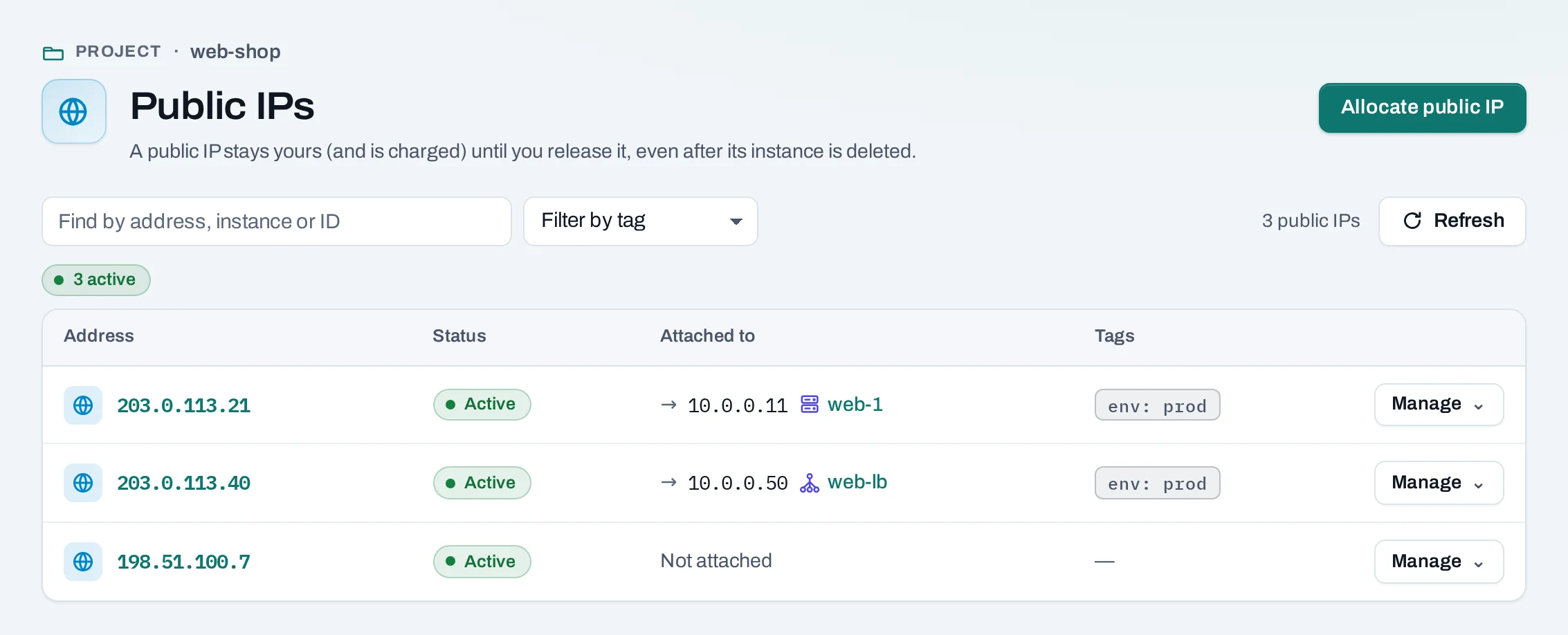
A public IP makes one instance, or one load balancer, reachable from the Internet. It is an address from the location's public network, allocated to your project. It stays yours, and counted in your usage, until you release it, even after the instance it was on is deleted.
Find them under Networking → Public IPs.
Before you start
- The instance must be on a routed network, and the location needs an Internet gateway.
- A public IP lets traffic reach the instance; its security groups still decide which. Allow only the ports you serve.
Get one with a new instance
On the instance create page, under Network → Public IP, choose A new public IP. It is
allocated with the instance and attached to it. In the API, "public_ip": true.
Allocate one on its own
Keeping an address apart from any instance lets you move it between instances without telling anyone a new address.
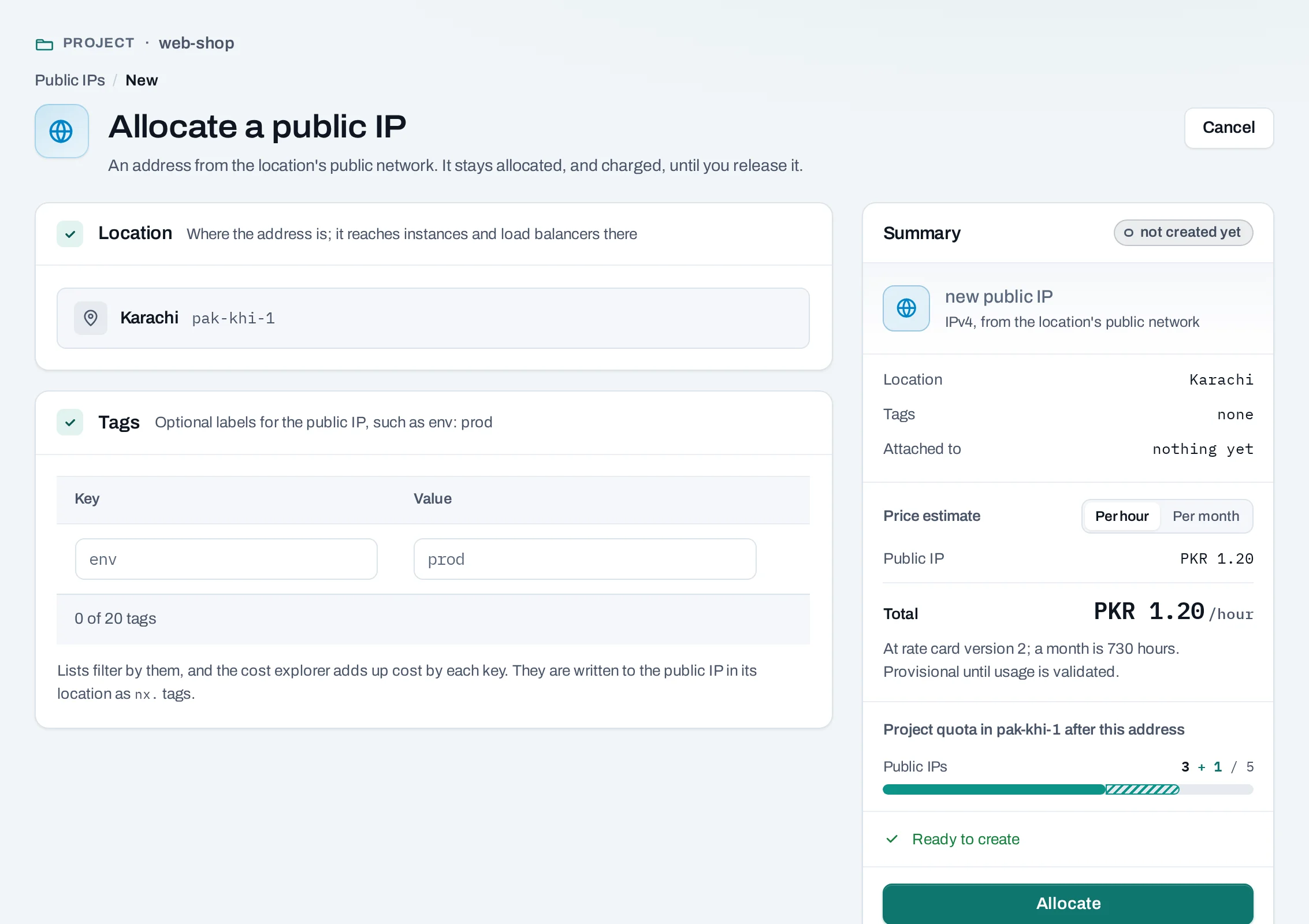
- Choose Allocate a public IP.
- Add tags if you like. Owners, admins and the billing role see the price estimate in the summary.
- Choose Allocate.
curl -sS -X POST "$NUBESTACK_API/v1/orgs/$ORG/projects/$PROJECT/floating-ips" \
  -H "Authorization: Bearer $NUBESTACK_API_KEY" \
  -H "Idempotency-Key: $(uuidgen)" \
  -H "Content-Type: application/json" \
  -d '{"location": "loc_01jbkhi", "tags": {"env": "prod"}}'
Pass server_id to attach it to an instance at once.
Attach and detach
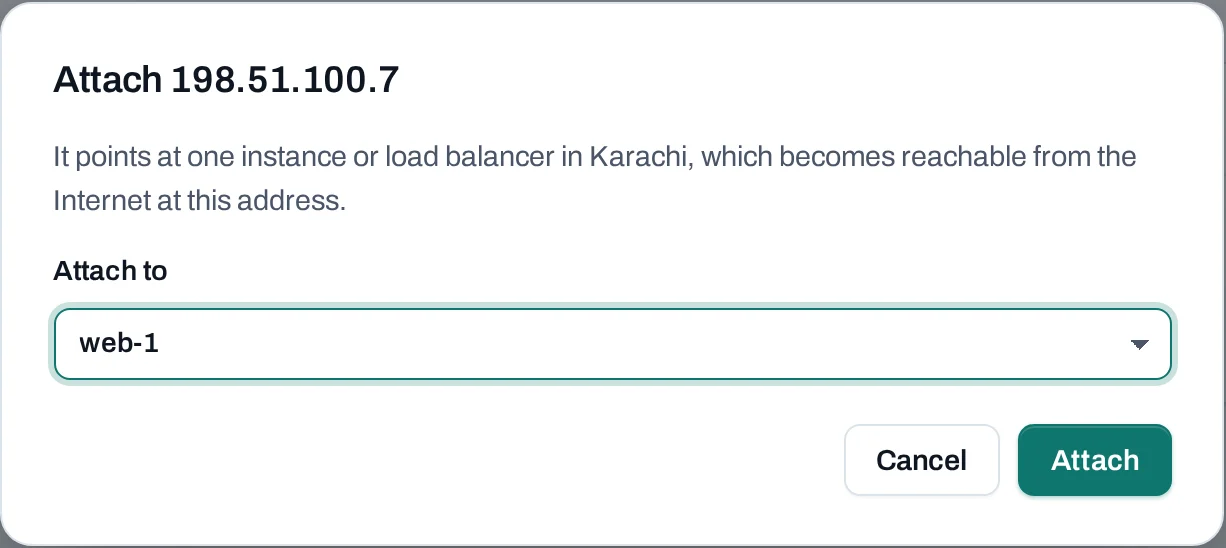
- Manage → Attach on the address: choose one of the project's instances or load balancers. An instance on several routed networks asks which one the address reaches.
- Manage → Add public IP on an instance does the same from the other side; on a load balancer, Attach a public IP under Public exposure.
- Detach: the instance stops being reachable at this address at once. The address stays allocated.
curl -sS -X POST "$NUBESTACK_API/v1/orgs/$ORG/projects/$PROJECT/floating-ips/fip_01jbspare:associate" \
  -H "Authorization: Bearer $NUBESTACK_API_KEY" \
  -H "Idempotency-Key: $(uuidgen)" \
  -H "Content-Type: application/json" \
  -d '{"server_id": "srv_01jbweb2"}'
Use load_balancer_id for a load balancer, and network_id to pick the network. :disassociate
with {} detaches it.
An address is attached to one instance or load balancer at a time.
Release a public IP
The address returns to the location and you may not get it again. To keep it, detach it instead. Nothing blocks a release.
Limits and good practice
- IPv4 only. An address belongs to one location and cannot move to another.
- Your quota limits how many a project holds.
- Release addresses you no longer need: they count in your usage while allocated.
- Put a load balancer, not several public IPs, in front of a set of instances serving the same site.