Instance groups
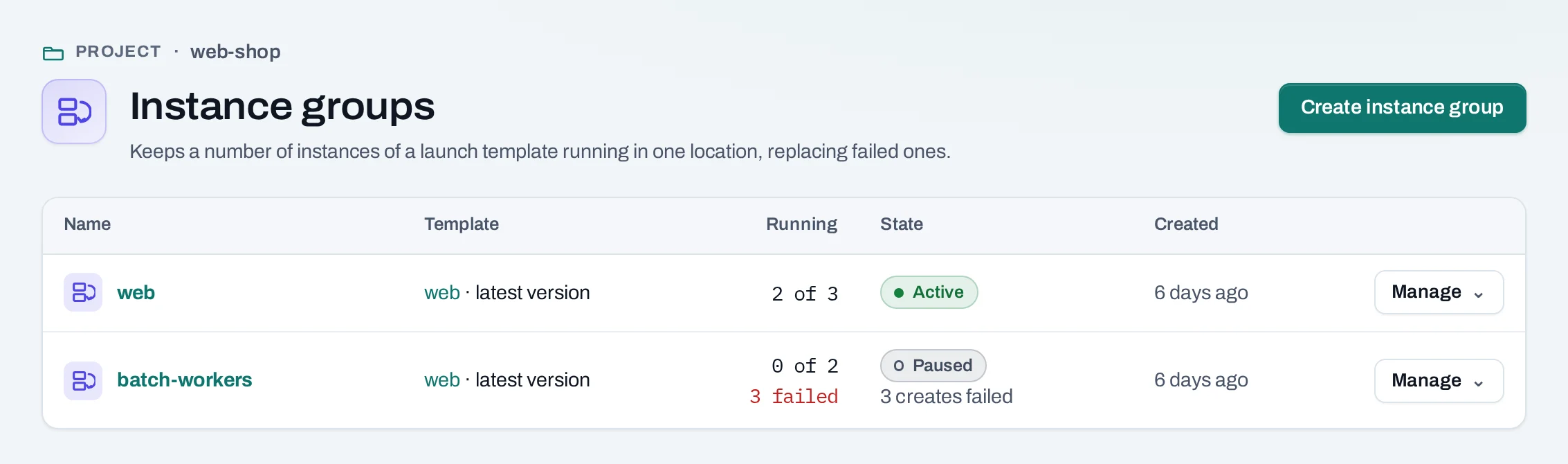
An instance group keeps a number of instances from a launch template running. It replaces instances that fail, adds or removes instances when you change the count, and can keep them in a load balancer pool.
Use it for replaceable application replicas, such as web servers behind a load balancer. Scaling is by count, set by hand or on a schedule; scaling on CPU or traffic is not offered.
Find them under Compute → Instance groups.
Before you start
- A launch template that starts a working instance on its own: image, network, security groups and user data. Test it with one launch first.
- Instances that hold no data you need to keep: the group deletes instances when it scales down. Keep data on volumes or outside the instances.
Create a group
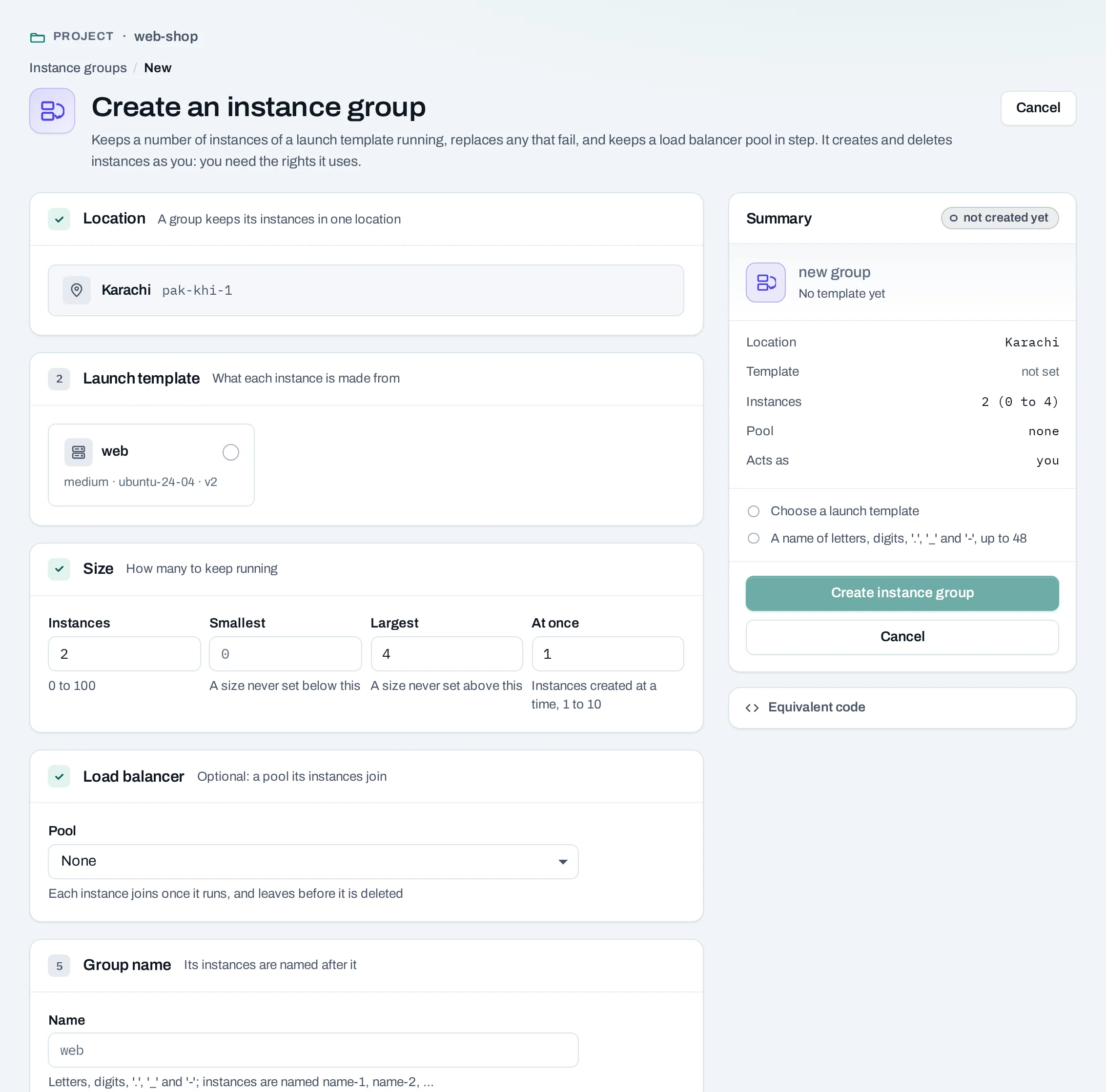
- Choose Create instance group.
- Name: its instances are named
<name>-1,<name>-2and so on. - Template and version: pin a version, or use the latest at each create.
- Desired, Minimum and Maximum instances, from 0 to 100. Surge: how many instances it may create at once (1 to 10).
- Optional: a load balancer pool in the same location, and the port the instances serve on. Each instance joins the pool once it runs, and leaves it before it is deleted.
- Choose Create instance group. The group exists at once; its instances are created by operations.
curl -sS -X POST "$NUBESTACK_API/v1/orgs/$ORG/projects/$PROJECT/instance-groups" \
  -H "Authorization: Bearer $NUBESTACK_API_KEY" \
  -H "Idempotency-Key: $(uuidgen)" \
  -H "Content-Type: application/json" \
  -d '{
    "name": "web",
    "template_id": "ltp_01jbweb",
    "desired": 3, "min": 2, "max": 6, "max_surge": 1,
    "pool_id": "lbp_01jbwebpool", "member_port": 8080
  }'
The answer is 201 Created with the group and its ETag.
Change the count or the settings
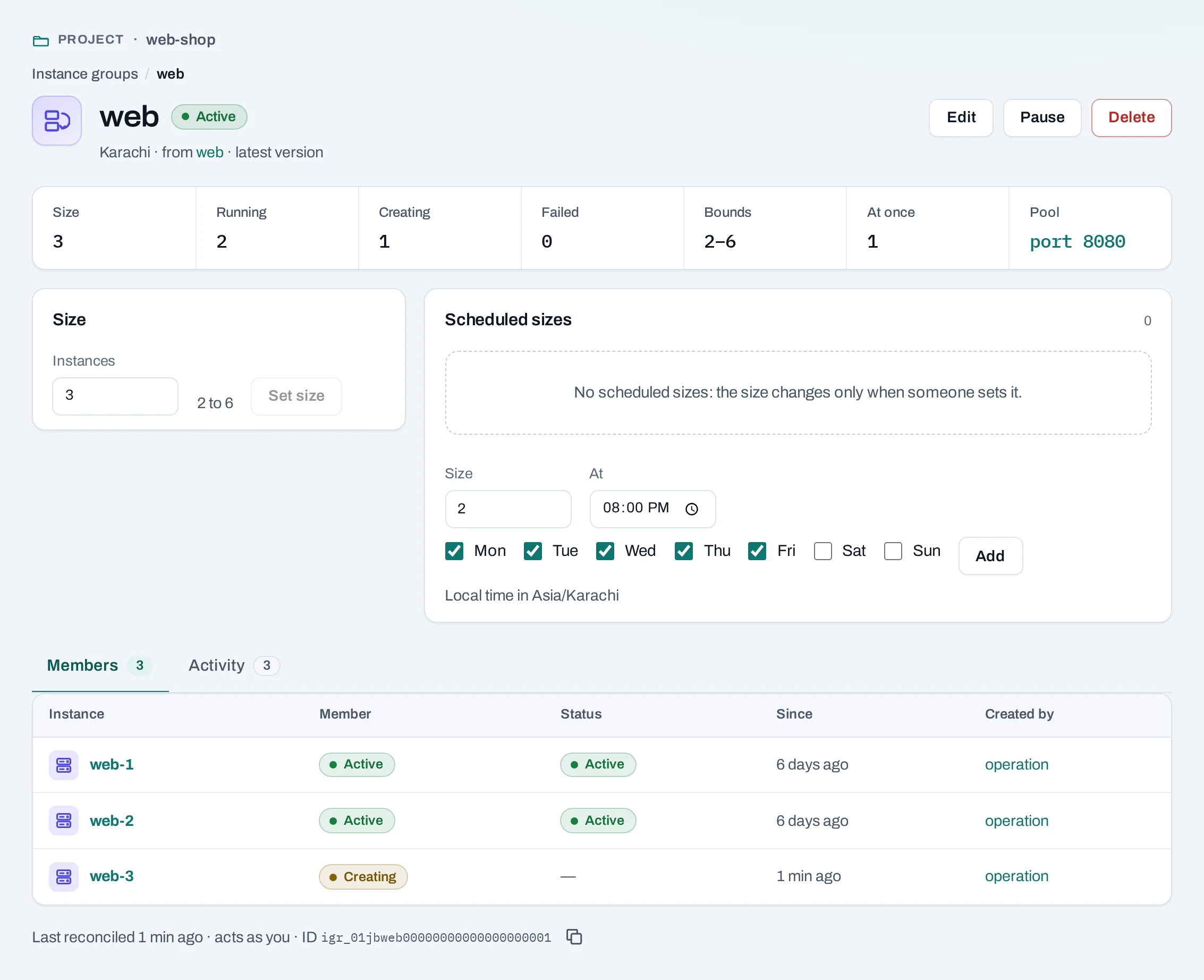
Open the group. Size changes the desired count within its bounds. Edit changes the name, template version, bounds, surge and pool; the location stays fixed. A new version applies to instances created from then on; existing instances are not rebuilt.
Changes need the group's current version in If-Match:
curl -sS -X PATCH "$NUBESTACK_API/v1/orgs/$ORG/projects/$PROJECT/instance-groups/igr_01jbweb" \
  -H "Authorization: Bearer $NUBESTACK_API_KEY" \
  -H "Idempotency-Key: $(uuidgen)" \
  -H 'If-Match: "4"' \
  -H "Content-Type: application/json" \
  -d '{"desired": 4}'
The answer is 200 OK. A stale version answers 412; read the group again and retry.
Pause, resume and scheduled sizes
- Pause stops the group acting on its count; its instances keep running. Resume lets it act again. Deleting a member while the group is active makes it create a replacement.
- Scheduled sizes change the desired count at set days and times, for example 4 instances on weekday mornings and 2 at night. They are size schedules.
- The group pauses itself, saying why, when it cannot create instances, for example when the person it runs as loses the right to.
How it connects
- Each instance is created from the template as an ordinary instance, and counts against the project's quota in the location.
- With a pool, the group keeps the load balancer's members in step. The load balancer's health checks decide which instances get traffic; the group replaces only instances that failed to run.
Delete a group
Choose Delete and pick whether its instances are kept or deleted with it.
Nothing blocks deleting a group. Kept instances become ordinary instances and stay in any pool until you remove them; remove the group's size schedules too.
Limits and good practice
- Up to 100 instances per group, within the project's quota.
- Make instances disposable: configure them from the template's user data, and keep state elsewhere.
- Use a health check on the pool so traffic stops going to an instance that is up but broken.