Internet gateways
An Internet gateway lets instances on a project's routed networks reach the Internet. Their traffic goes out through one shared public address (NAT) that the location assigns. Nothing on the Internet can reach your instances through it: for that, give an instance a public IP, which also needs the gateway.
A project has at most one Internet gateway. It serves every network attached to private routing; isolated networks never use it.
Find it under Networking → Internet gateways.
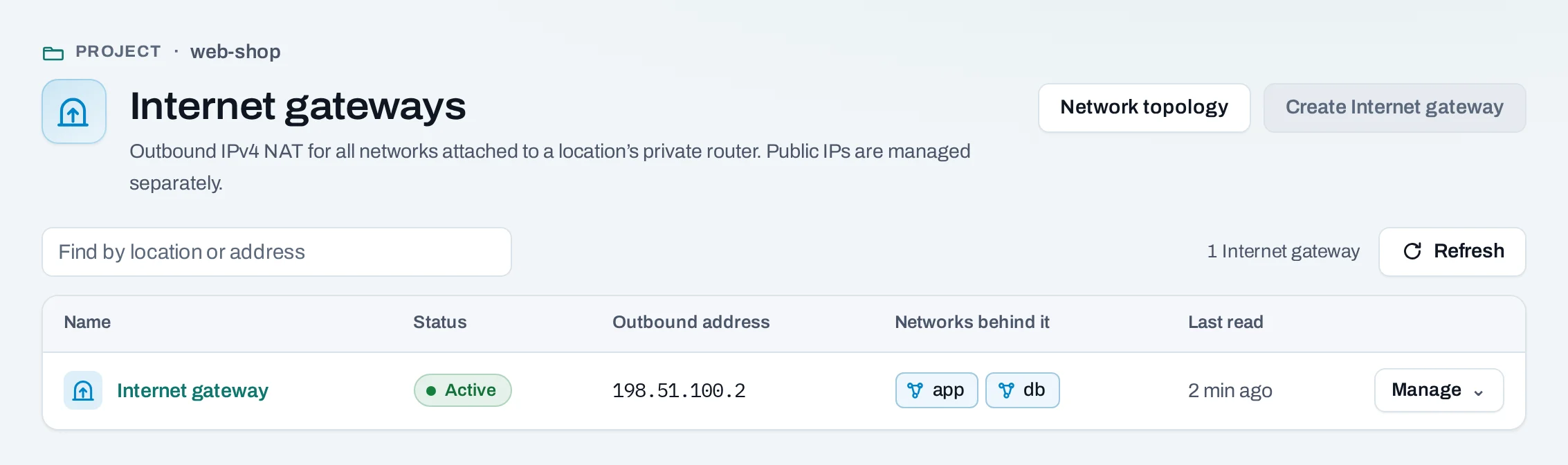
Create an Internet gateway
- Choose Create Internet gateway. For owners, admins and the billing role, the dialog says the price per hour and per month.
- Confirm with Create Internet gateway. The outbound address shows once it is ready.
You can also create it with the project: Create an Internet gateway (outbound NAT).
{placement_id} is the project's ID in its location: placements[0].id in
GET /v1/orgs/$ORG/projects/$PROJECT.
A gateway made or changed with the location's own tools and shown with outbound NAT off offers Manage → Enable outbound NAT.
Delete an Internet gateway
- Detach every public IP of the project from its instance or load balancer.
- Choose Manage → Delete gateway and confirm.
Outbound access stops and the outbound address is released. Private routing, routes, networks and instances stay.
What blocks a delete
| Refusal | Why | Resolve |
|---|---|---|
public_ips_in_use |
A public IP of the project is still attached; the message lists them | Detach them first, under Public IPs |
Limits and good practice
- A gateway counts as Internet gateway hours in your usage for as long as it exists, whether or not anything uses it.
- The outbound address can change if you delete the gateway and create a new one. Do not ask others to allow-list it unless you keep the gateway.
- IPv4 only. Port forwarding from the outbound address to an instance is not offered; give the instance a public IP or put a load balancer in front of it.
- To keep an instance off the Internet on a network that has a gateway, use a security group without outbound rules to public addresses (the Private only template).