Audit log and activity
Two places answer "who did that?":
- The organization's Audit log records every change, refusal and security event in the organization: who acted, on what, when and how it went.
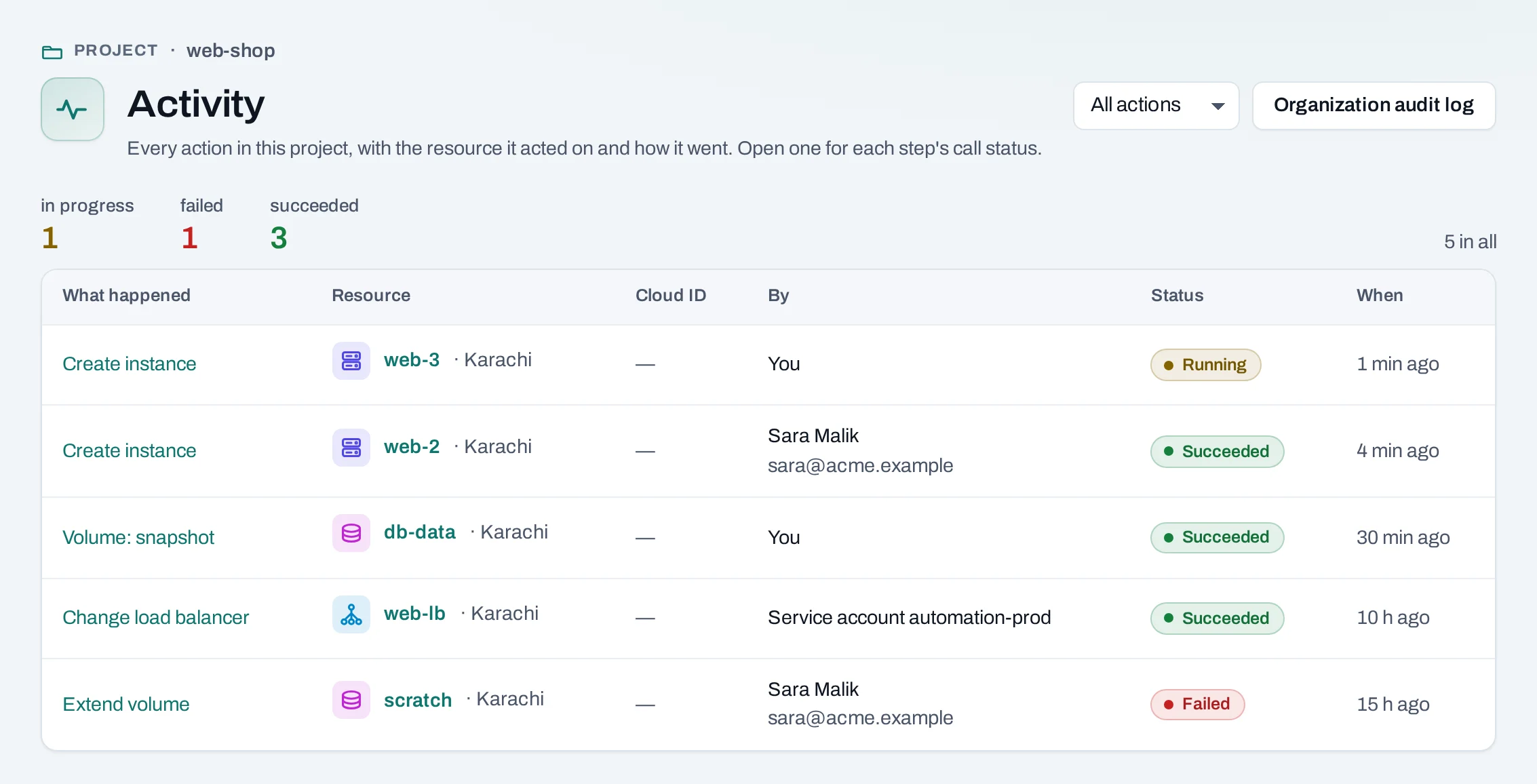
- Each project's Activity lists its operations: every change in a location, with the resource it acted on and each step. Every resource's page has its own Activity tab too.
Read the audit log
Owners and admins read it. In the organization scope, open Activity at the bottom of the menu.
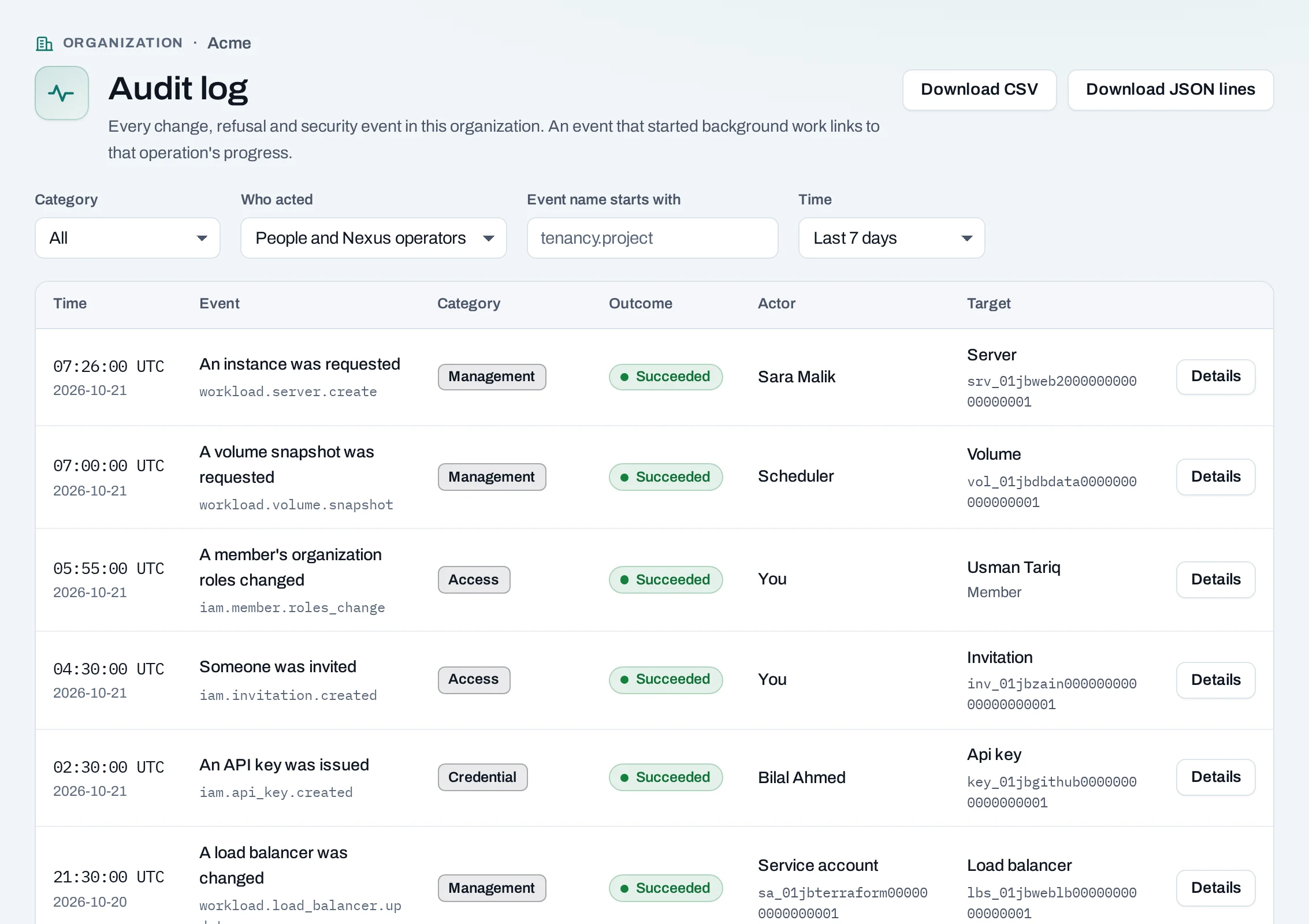
- Narrow it by time (the last 24 hours to 90 days, or your own range), category, who acted, or the start of the event's name.
- Choose an event for everything it recorded, including its request ID.
- An event that started work in a location links to its operation.
Who acted is shown as a name (with the address, for owners and admins), a former member, a service account, or Nexus for NubeStack Cloud's own work.
Read a project's activity
In the project, open Activity at the bottom of the menu. Filter to your own operations, or open one to see each step and how the location answered.
Export the audit log
Download CSV and Download JSON lines export what you are looking at, when the organization allows exports (Settings → Audit and retention). Exports can contain members' addresses: keep them as you keep other personal data.
How long it goes back
The Audit retention window in Settings (7 to 365 days) limits how far back the log can be read and exported here. Every event is still recorded and kept, including after a project is deleted or the organization closed.
When you ask for help
Give the event's time, request ID, operation ID and project, and the refusal's code. Never send an API key, invitation link, private key or console link.