Operations
When you create, change or delete something that lives in a location, such as an instance, a network or a volume, NubeStack Cloud does not keep you waiting while the location does the work. It records the request, answers at once, and carries the work out in the background. That record is an operation.
Changes that live only in NubeStack Cloud's own records, such as an invitation, an SSH key, a
quota preset, a schedule or an instance group's settings, take effect at once and have no
operation: the API answers 200 OK or 201 Created.
Follow an operation
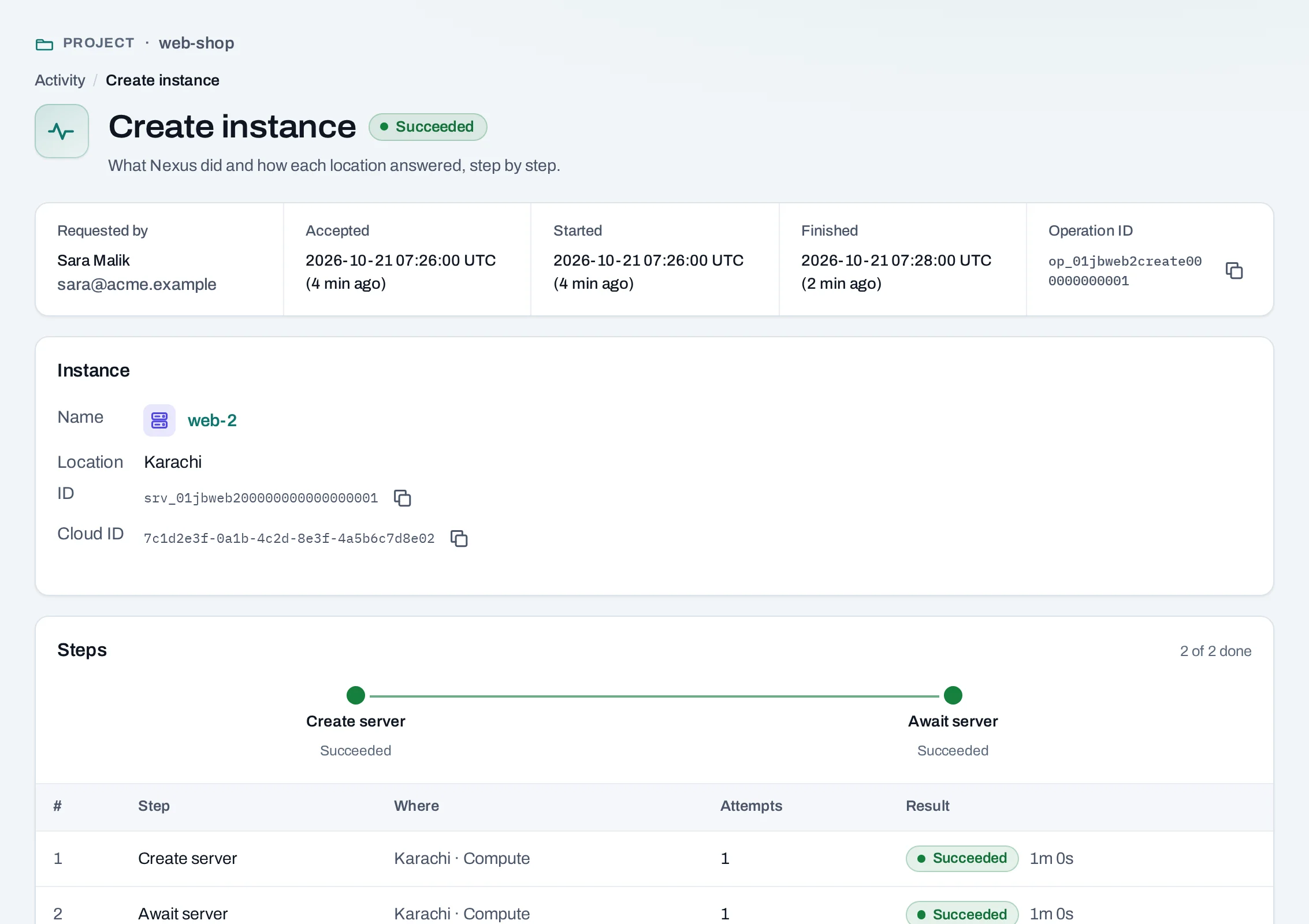
After you make a change, the page says what was requested, for example Instance requested, with a link to follow the operation. The operation page shows:
- Requested by: you, a colleague, a service account, or NubeStack Cloud itself (a schedule or an instance group acting for the person who set it up).
- Accepted, Started and Finished: when the request was taken, begun and ended.
- Each step, with the location it ran in and how that location answered.
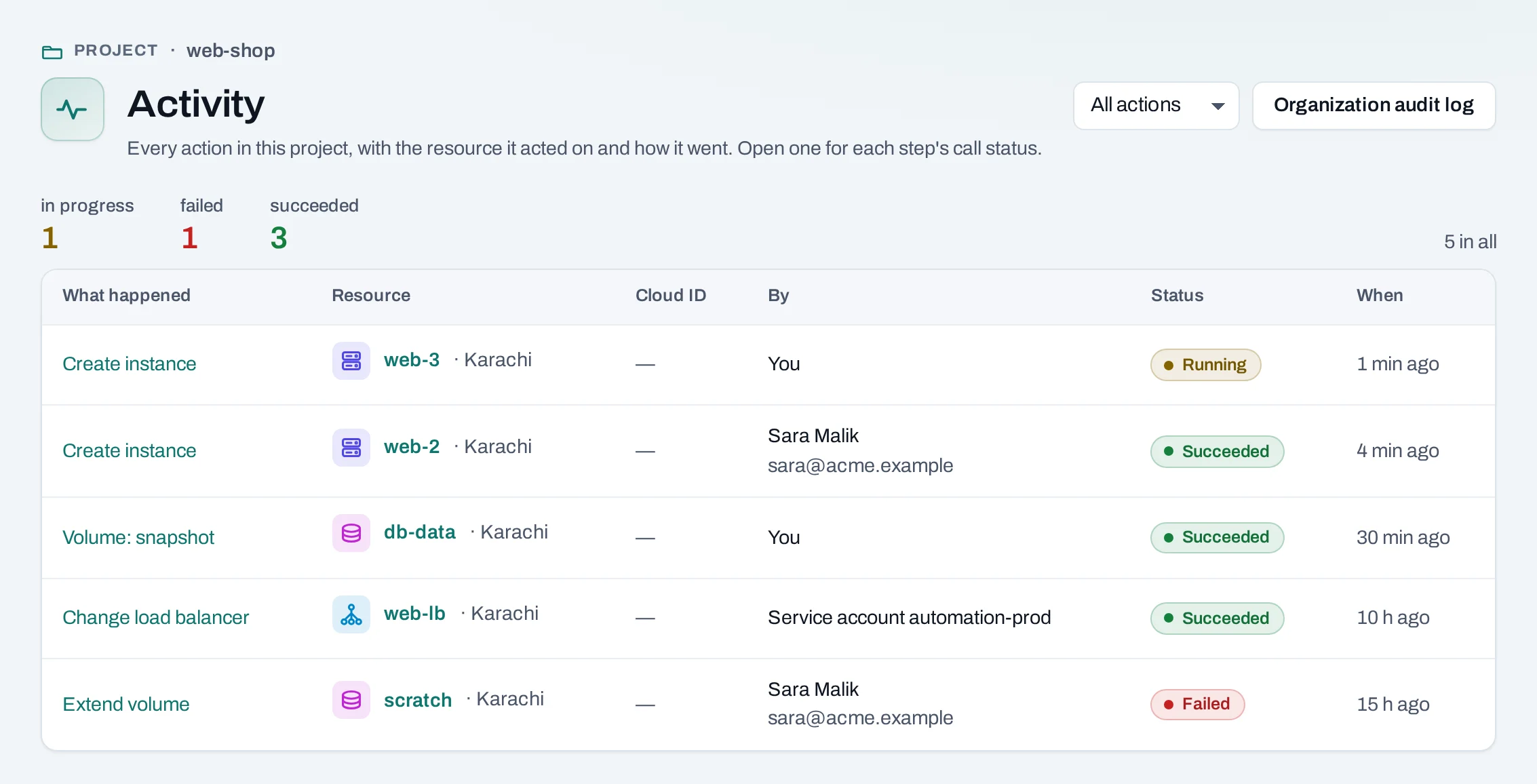
Every operation of a project is under Activity, at the bottom of the project's menu, and each resource has an Activity tab with its own. The organization's audit log has every change, refusal and security event.
What each state means
| State | What it means | What to do |
|---|---|---|
| Queued | Accepted and waiting its turn | Nothing; it starts on its own |
| Running | A location is doing the work | Wait; the page updates on its own |
| Succeeded | Done | Nothing |
| Partially succeeded | Some steps finished, others did not | Read the failed step; what finished stays |
| Failed | The work did not finish | Read the failed step, fix the cause, make the change again |
| Cancelling, Cancelled | Someone stopped it | Make the change again if you still want it |
A failed step says why in plain words, for example that the project's quota in that location is used up, or that the location is not taking new work right now. A finished operation is never retried by itself: to try again, make the same change again. That is a new operation.
Why a change can fail after it was accepted
Before accepting a request, NubeStack Cloud checks what it can: your role, the names and values you gave, and the quota it last saw. The location has the final word. It can still refuse because:
- the quota was used up by something made at the same time, or with the location's own tools;
- the location has no room for that size right now;
- the location is in maintenance or cannot be reached;
- the resource changed in the meantime, for example someone stopped the instance you wanted to resize.
Work that a location cannot start in time, normally 15 minutes, fails rather than running late, so a change never lands long after you stopped expecting it.
Cancel an operation
A project admin can cancel an operation that is still queued: open it and choose Cancel
operation. Once it is running, cancelling is refused with 409 not_cancellable.
What a failed create leaves behind
Something that failed to create stays in its list, marked failed, so you can see what happened. The project's Overview gathers them under Failed to create. Choose Remove beside one to clear it from the list. Anything made before the failure, such as a new public IP, stays until you delete it, and the operation lists it.
Why a list can be out of date
Lists show what the location last reported, and say how old it is (updated 2 minutes ago). A list the location has not answered for a while is marked Stale; its rows stay, with the time they are from.
Choose Refresh above a list or on a resource's page to read it again from the location now. Anything made with the location's own tools appears after the next regular read, or at once after a refresh.
curl -sS -X POST "$NUBESTACK_API/v1/orgs/$ORG/projects/$PROJECT/$COLLECTION/$ITEM_ID:refresh" \
  -H "Authorization: Bearer $NUBESTACK_API_KEY" \
  -H "Idempotency-Key: $(uuidgen)"
The answer is 202 Accepted with an operation. Follow it until it succeeds.