Service accounts and API keys
A service account is an identity for automation: a CI pipeline, a deploy script, a backup job. It has an organization role and project access like a person, but never signs in to the console. It works with two kinds of credential:
- API keys, to call the NubeStack Cloud API;
- Cloud credentials, for the OpenStack CLI, an SDK or Terraform's OpenStack provider in a project's location.
Owners and admins manage the organization's service accounts under IAM → Service accounts in the organization. Project admins and members can also have a personal service account on a project.
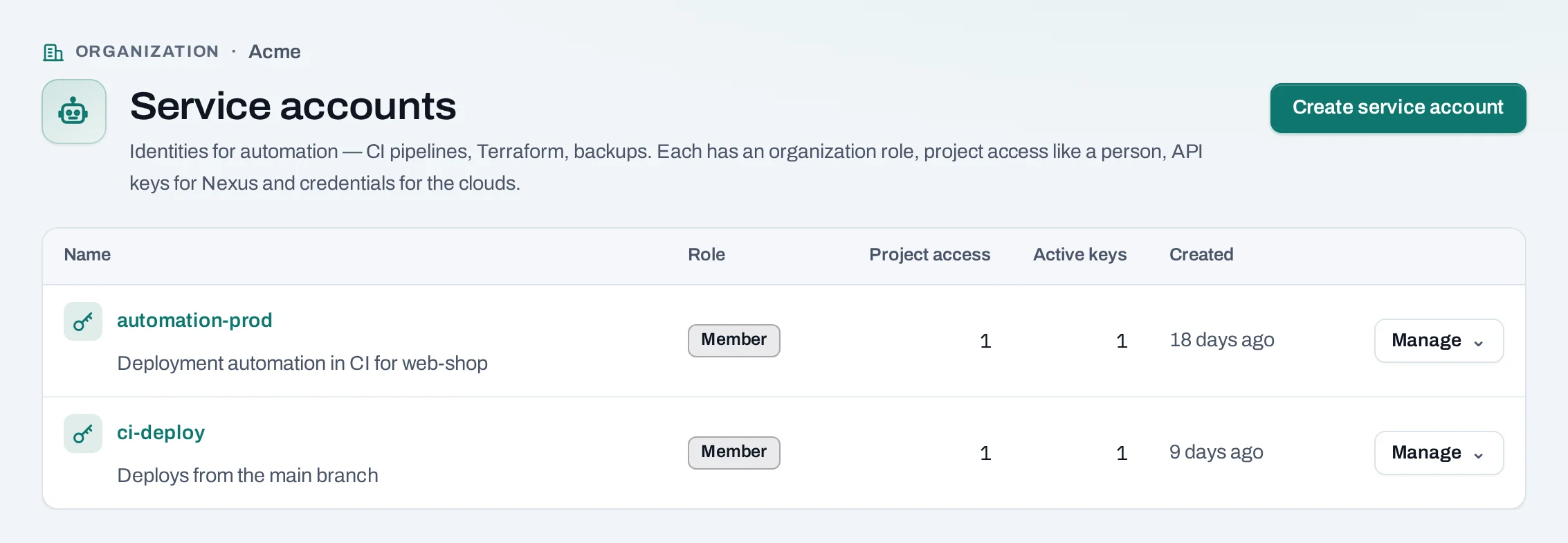
Create a service account
- Choose Create service account.
- Name: up to 64 characters, unique in the organization, for example
ci-deploy. - Description (optional): what it is for and who looks after it.
- Organization role: Member or Viewer.
- Choose Create service account.
Then give it access to each project it works in, on its own page: open Project access, choose Give access, and pick a project and a role (project member or project reader). Each project's row there has Change access and Remove access. A project's IAM → People lists people only, with a count of the service accounts that also have access.
Whatever its roles, a service account never manages people, access, roles, keys or settings, and never creates or deletes projects.
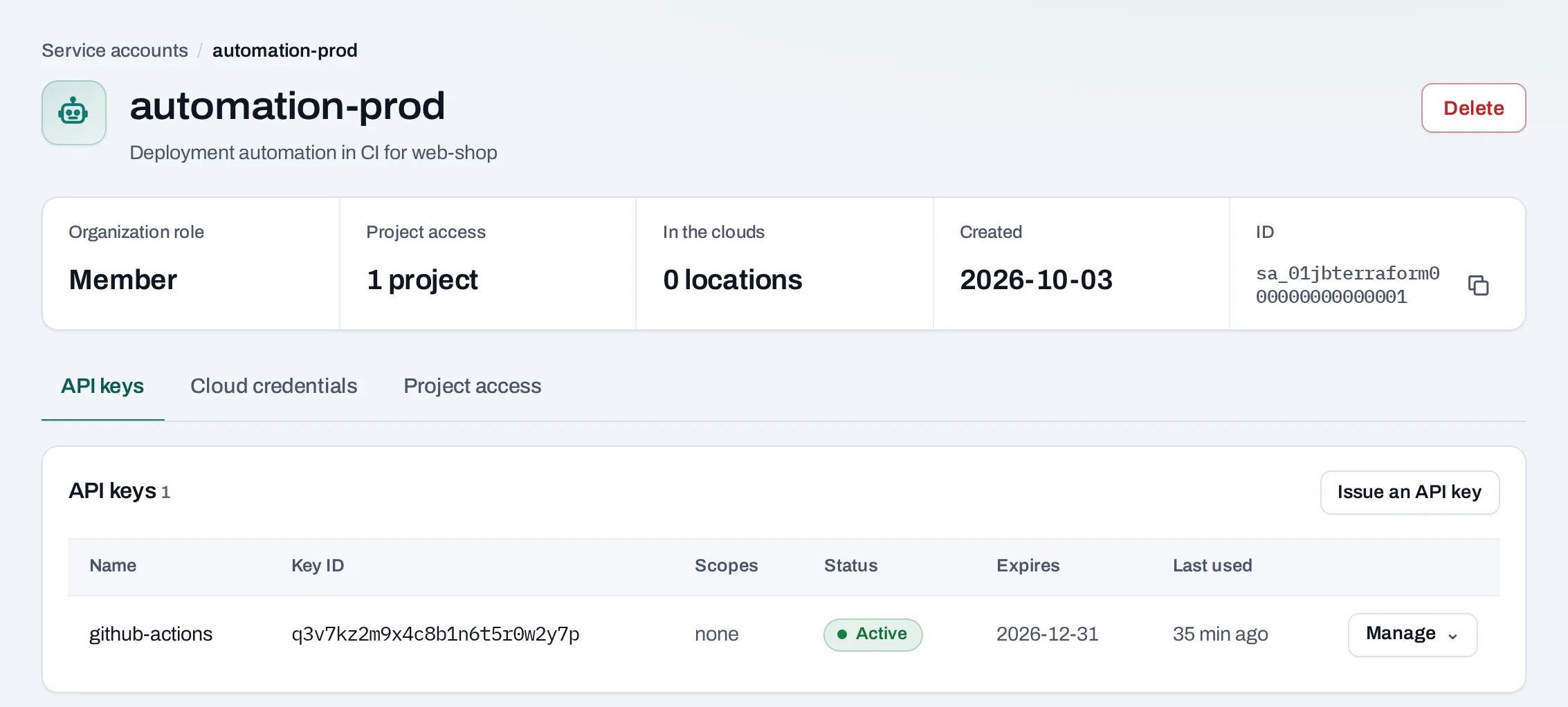
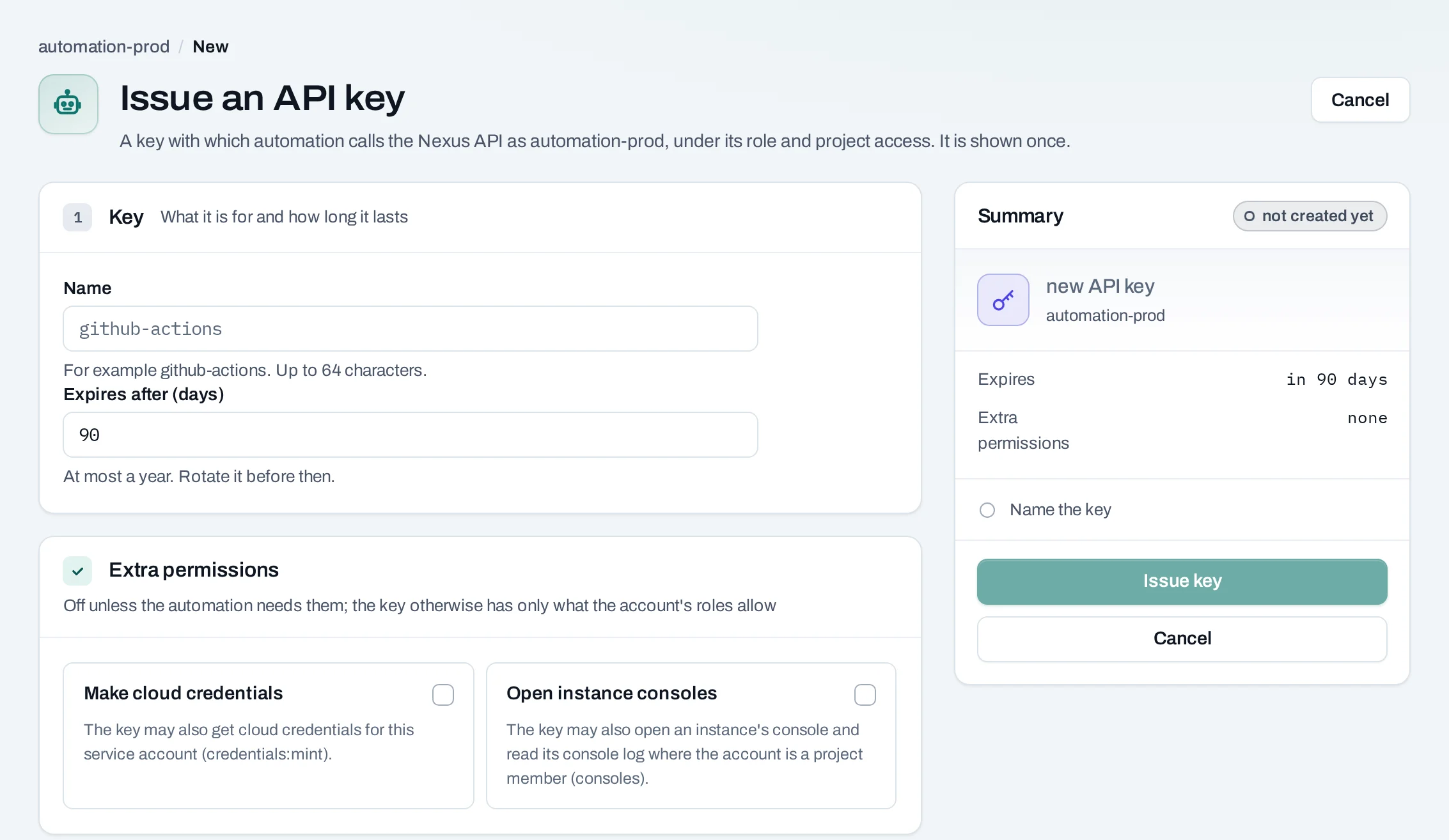
Issue an API key
- Open the service account and choose Issue an API key.
- Name: what the key is for, for example
github-actions. - Expires after (days): 1 to 365, 90 by default.
- Extra permissions (optional):
- Open instance consoles: the key may open an instance's console and read its console log.
- Make cloud credentials: the key may make cloud credentials for this service account.
- Choose Issue key.
Copy the key now and store it where your automation reads secrets. It is shown once; only a hash is kept. Send it with every request:
Issuing, rotating and revoking keys may ask for your second factor.
Rotate or revoke a key
Under API keys on the service account:
- Rotate: a new key with the same name and permissions is shown once. Choose how long the old key keeps working while you switch: 24 hours, 1 hour, or it stops now.
- Revoke: anything using it is refused from the next request.
A service account holds at most 2 active keys, so you can rotate without a gap. An unknown,
revoked or expired key is refused with 401 api_key_invalid.
A key whose issuer has since lost the right to issue it, for example because they left the organization, reads needs owner: it stops on the date shown unless an owner or admin chooses Keep on it. Cloud credentials work the same way.
Get a cloud credential
A cloud credential is an OpenStack application credential for one project in one location, for unattended tools that cannot use the CLI's browser sign-in.
- Give the service account member access to the project first.
- Open the service account and choose Get a credential.
- Where: the project. Lifetime: when the cloud stops accepting it (at most a year, 90 days by default).
- Choose Get credential.
A clouds.yaml entry with the secret is shown once. Add it to ~/.config/openstack/clouds.yaml:
The credential has a project member's access in the project's location, under the project's quota. A service account holds two per project, so you can make the next before revoking the old. Revoke deletes it; tools using it are refused within minutes. An expired one stays listed as expired.
Your own service account on a project
A project admin or project member can have a personal service account on that project, for their own scripts and the CLI. In the project, open IAM → Service accounts and choose Create my service account.
- It holds project member on that project only.
- Its API keys and cloud credentials last 30 days at most.
- It goes when your access to the project ends. Delete removes it sooner.
Issue its keys and get its credentials on the same page, as above. Owners and admins see personal service accounts in the organization's list too.
Delete a service account
Choose Delete service account on its page. Its API keys stop at once, its project access ends, and its cloud credentials in every location are deleted.
Limits and good practice
- One service account per system or pipeline, with only the projects and role it needs.
- Rotate keys before they expire; store them in your CI's secret store, never in a repository.
- Up to 100 service accounts per organization unless NubeStack set another limit.