Networks
A network gives the instances on it private addresses from one range, in the project's location. Routed networks join the project's private routing and reach each other. Reaching the Internet is a separate step: an Internet gateway.
Find them under Networking → Networks.
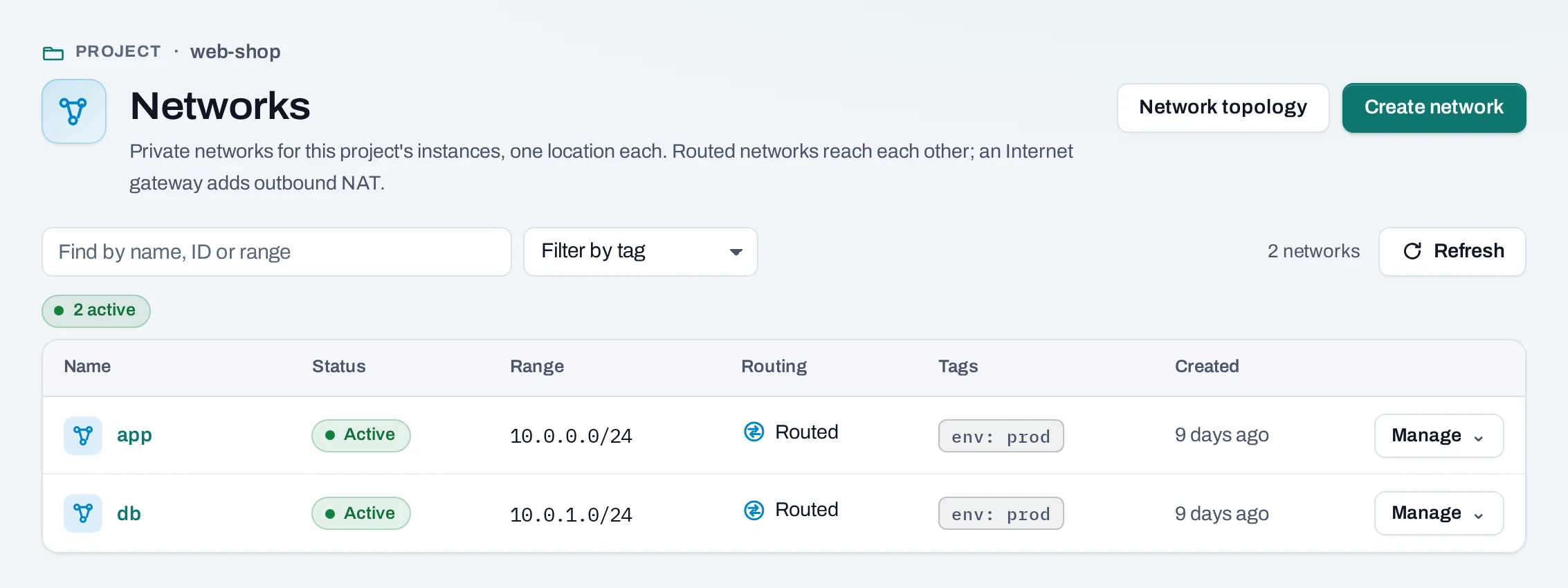
The network a project starts with
A project created with Set up a network gets one routed network, default, with the range
10.0.0.0/24 unless the creator chose another. It is yours to change or delete. A project with
no network shows a notice on the Networks page; Set up network there makes the same
network.
Before you start
- Plan the range. It cannot change later, and two routed networks of the project must not
overlap. A
/24(256 addresses) suits most networks. - A role of project admin or project member.
Create a network
- Choose Create network.
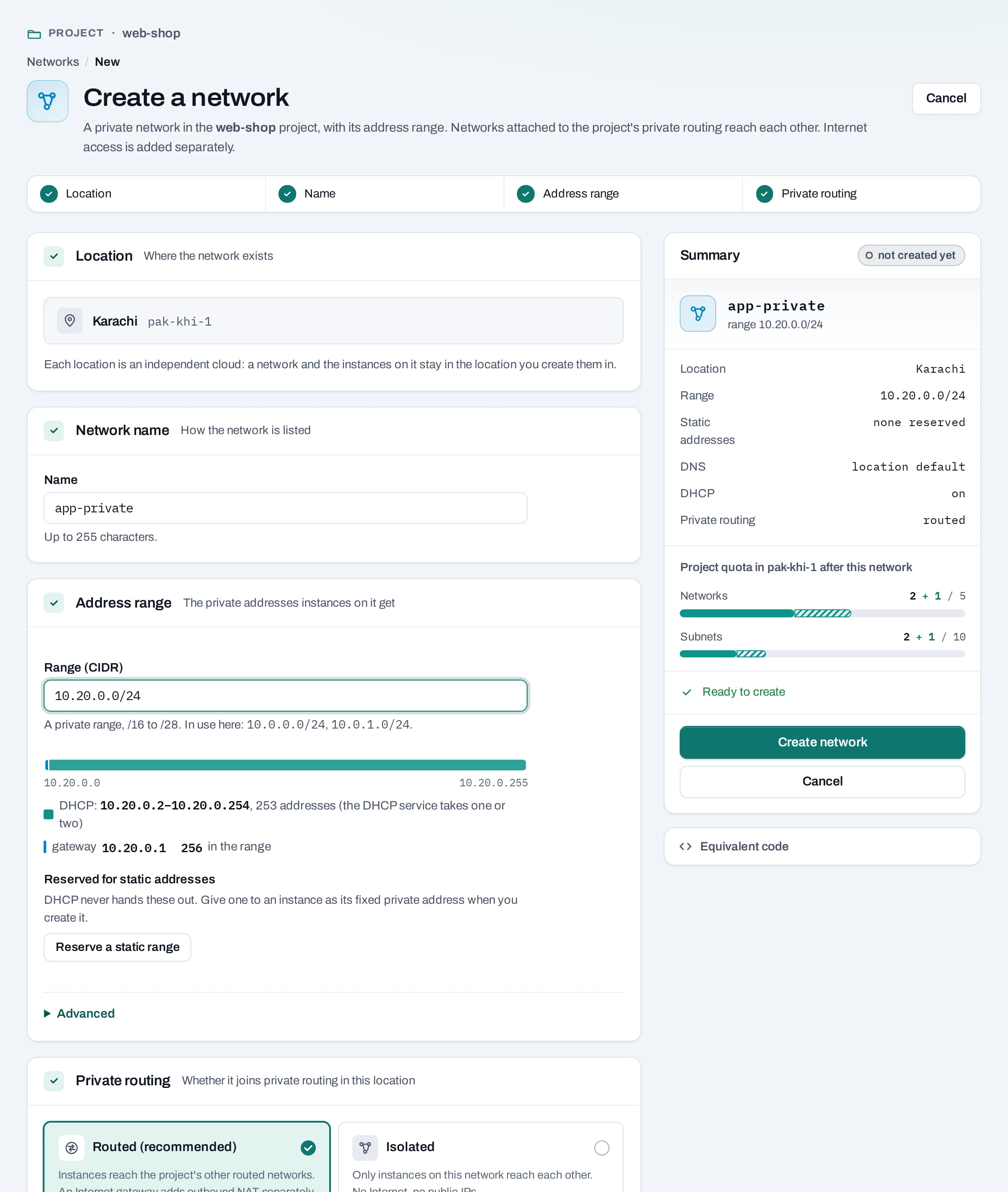
- Location shows the project's location. Enter the Network name.
- Address range:
- Range (CIDR): a private IPv4 range from
/16to/28, inside10.0.0.0/8,172.16.0.0/12or192.168.0.0/16. The form warns when it would overlap another routed network. - Gateway address (optional): empty means the range's first address.
- DNS servers (optional): up to four, comma-separated; empty uses the location's.
- Static addresses: ranges DHCP never hands out, for addresses you set yourself.
- Range (CIDR): a private IPv4 range from
- Private routing: Routed (recommended), or Isolated: only instances on this network reach each other, with no Internet and no public IPs.
- Choose Create network.
curl -sS -X POST "$NUBESTACK_API/v1/orgs/$ORG/projects/$PROJECT/networks" \
  -H "Authorization: Bearer $NUBESTACK_API_KEY" \
  -H "Idempotency-Key: $(uuidgen)" \
  -H "Content-Type: application/json" \
  -d '{
    "location": "loc_01jbkhi",
    "display_name": "db",
    "routed": true,
    "subnet": {"cidr": "10.0.1.0/24", "dns_nameservers": ["10.0.1.2"], "enable_dhcp": true},
    "tags": {"env": "prod"}
  }'
subnet also takes gateway_ip, no_gateway and up to 4 allocation_pools
({start, end}). The answer is 202 Accepted.
Change a network
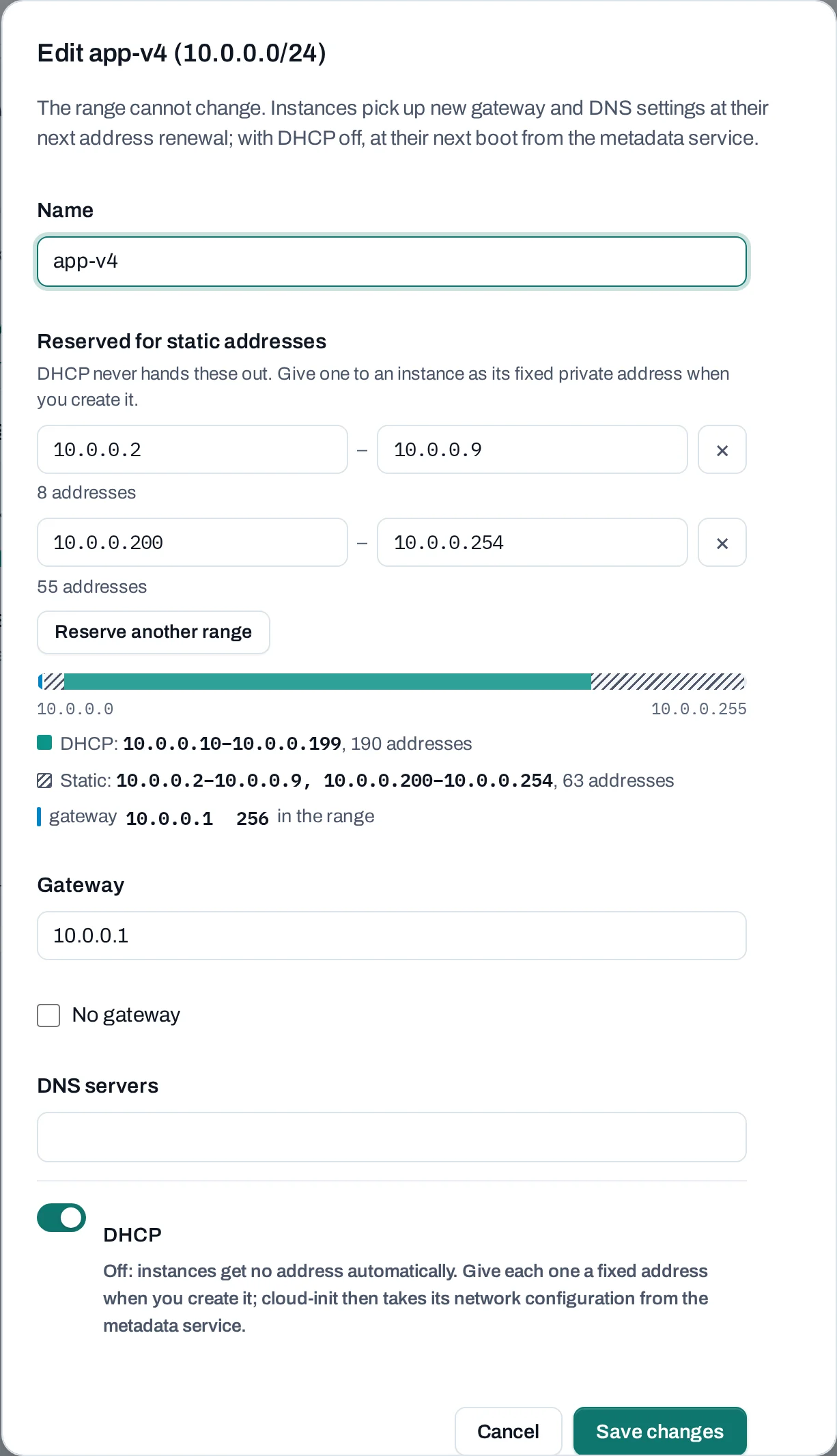
Open the network. The Address range tab shows how the range is used. Edit ranges changes:
- the gateway address and DNS servers; instances pick them up at their next address renewal;
- DHCP: with it off, give each instance a fixed address when you create it;
- the ranges kept for static addresses.
From Manage: Detach from private routing and Attach to private routing. Rename is on the network's own page.
curl -sS -X POST "$NUBESTACK_API/v1/orgs/$ORG/projects/$PROJECT/networks/net_01jbdb:set-routing" \
  -H "Authorization: Bearer $NUBESTACK_API_KEY" \
  -H "Idempotency-Key: $(uuidgen)" \
  -H "Content-Type: application/json" \
  -d '{"enabled": false}'
:set-internet-access with {"enabled": …} attaches the network to the project's
Internet gateway or detaches it. PATCH …/networks/{id} renames it.
The range itself cannot change; to use another, create a new network.
How networks connect
- Instances get an address on a network when they are created, or with Attach network.
- Routed networks of the project reach each other through private routing. Isolated networks do not.
- A routed network reaches the Internet through the project's Internet gateway, and is needed for public IPs.
- A load balancer takes its private address from a network's range.
Delete a network
What blocks a delete or a detach
| Refusal | Why | Resolve |
|---|---|---|
resource_in_use |
Instances, load balancers or others still have addresses on it; the message names them | Detach or delete them first |
public_ips_in_use |
A public IP reaches an instance through it (detaching routing or Internet access) | Detach or release the public IPs |
route_uses_network |
A route's next hop is on this network | Remove the route on the Routing page |
Limits and good practice
- IPv4 only, one range per network.
- Leave room to grow: the range never changes.
- Use separate networks for tiers (web, database) and let security groups decide what crosses.
- A network made with a location's own tools that has several ranges or another router is shown as found, marked outside Nexus, and is not attached to private routing.