Several certificates on one listener
One HTTPS listener can serve a different certificate for each of your domains, on the same address and port. Each listener has one default certificate, and can serve up to ten more by host name. A client that asks for one of a certificate's names gets that certificate; any other client gets the default.
The client says which name it wants during the TLS handshake. This is SNI (Server Name Indication), and every current browser and HTTP library sends it.
Use it for several sites or brands behind one load balancer and one public IP, without a wildcard or multi-domain certificate.
Before you start
- An HTTPS listener that ends TLS (HTTPS, TLS ends here,
TERMINATED_HTTPSin the API). Other protocols take no certificate. - Each certificate uploaded to the load balancer's project, valid for at least another 24 hours.
- DNS for each domain pointing at the load balancer's public IP.
Choose certificates when you create a listener
On the load balancer create page, or Add listener on an existing one:
- Protocol: HTTPS, TLS ends here, port
443. - Certificate: the default, for example
www-2026. - Also serve these certificates (by host name): pick up to ten more, for example
shop-2026. Each shows the names it covers and the days it has left. Leave it at None: every client gets the default to serve one certificate.
curl -sS -X POST "$NUBESTACK_API/v1/orgs/$ORG/projects/$PROJECT/load-balancers/lbs_01jbweblb/listeners" \
  -H "Authorization: Bearer $NUBESTACK_API_KEY" \
  -H "Idempotency-Key: $(uuidgen)" \
  -H "Content-Type: application/json" \
  -d '{
    "display_name": "https",
    "protocol": "TERMINATED_HTTPS",
    "port": 443,
    "pool_id": "lbp_01jbwebpool",
    "certificate_id": "crt_01jbwww",
    "sni_certificate_ids": ["crt_01jbshop"]
  }'
The same two fields go in each listener of a new load balancer's listeners.
Change a listener's certificates
- Open the load balancer's Listeners tab.
- On the HTTPS listener, choose Change certificates.
- Change the Certificate (the default) or the certificates served by host name.
- Choose Save certificates. New connections get the new set; the address stays.
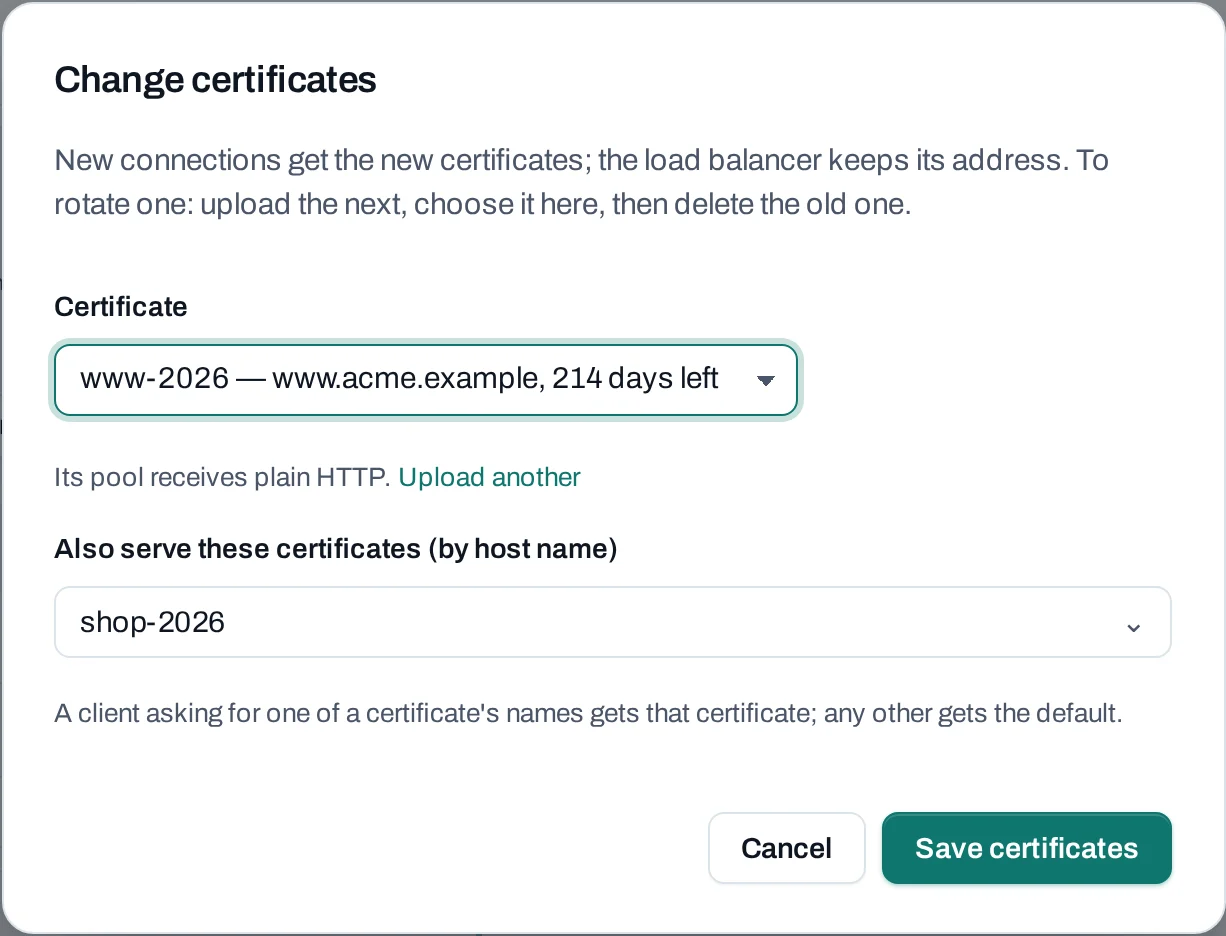
Send the listener's current version in expected (its lb_configuration.version) and the
whole new set: sni_certificate_ids replaces the list, and [] removes them all. Add
certificate_id to change the default too.
curl -sS -X PATCH "$NUBESTACK_API/v1/orgs/$ORG/projects/$PROJECT/load-balancers/lbs_01jbweblb/listeners/lbl_01jbhttps" \
  -H "Authorization: Bearer $NUBESTACK_API_KEY" \
  -H "Idempotency-Key: $(uuidgen)" \
  -H "Content-Type: application/json" \
  -d '{
    "expected": "8c1f0b6e2d4a9f3e7b5c1a0d6e8f2b4c9a7e3d1f5b0c8e6a2d4f9b1e7c3a5d0f",
    "sni_certificate_ids": ["crt_01jbshop", "crt_01jbapi"]
  }'
The Listeners tab shows each listener's Certificate and By host name lines, and a certificate's page marks each listener that serves it default or by host name.
What is refused
The checks run when the request arrives. Each refusal is 422 validation_failed, with the field
and one of these reasons in errors[]; the console shows it under the picker.
| Reason | Why |
|---|---|
certificate_not_allowed |
The listener does not end TLS |
certificate_required |
No default certificate |
certificate_is_default |
A certificate is both the default and served by host name |
certificate_duplicate |
The same certificate twice in the list |
certificate_is_sni |
Making a by-host-name certificate the default without sending the new list |
certificate_not_found |
Not a certificate of this project |
certificate_expired |
Expired, or expiring within 24 hours |
More than ten by host name is refused too. A certificate uploaded but not stored yet answers
409 certificate_not_ready: wait for its upload to finish.
How a client is matched
- A client asking for a name in one of the by-host-name certificates (its common name or subject alternative names) gets that certificate.
- Any other client, including one that sends no SNI, gets the default. Make the certificate for your main domain the default.
- Keep each name in only one of a listener's certificates: which one is served when two cover the same name is not defined.
Rotate one of them
Upload the renewed certificate, then Change certificates and pick it in place of the old one, whether it is the default or served by host name. Then delete the old one. See Rotate a certificate.
Limits
- One default and up to 10 certificates by host name per listener.
- Not offered: client certificates (mutual TLS), choosing TLS versions or ciphers, and routing by host name to different pools. Every name on a listener reaches the same pool.